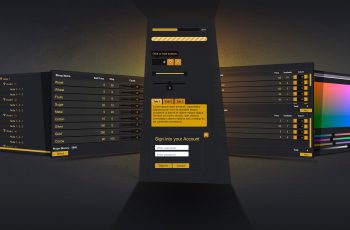
Create settings/options menus in a few clicks with the Settings Menu Creator. This add-on adds input/key rebinding support for Unity’s new input system to the Settings Menu Creator.
For more details about this asset: Click Here
This package is provided solely for evaluation, learning, or testing purposes before purchase and is not permitted for commercial use.
Settings & Options Menu Creator – Input Rebinding Addon v1.2.4 (Latest version)
Settings & Options Menu Creator – Input Rebinding Addon v1.2.1
“Sharing is caring”
Description
This add-on adds input/key rebinding support for Unity’s new input system to the Settings Menu Creator.
Need a mouse sensitivity or invert mouse setting?
This is easily implemented using the ‘Input Action Processor’ settings.
Demo scenes for both are included and documented.
⚠️ Does NOT add rebinding support to Unity’s old input system.
⚠️ Requires the usage of the input actions asset workflow for Unity’s new input system as described here. Check the add-on documentation for more details.
⚠️ May not work correctly in Unity 2022.1 due to UI Toolkit being rather broken in that version. Using LTS versions is advised.
⚠️ Does not work in Unity versions 2023.2.0f1 – 2023.2.6f1 due to an incompatibility of the text mesh pro dependency and Unity’s reorganizing of text mesh pro into another package. Please update to at least version 2023.2.7f1 if you are using any of those versions. Using LTS versions is advised.
⚠️ May not work correctly in Unity 2023 due to Unity bugs related to the inspector updating. It could happen that things like adding a setting to the list is not immediately shown unless the project is saved. Since Unity 2023 is not considered an official version I recommend updating to Unity 6 instead.
⚠️If you get the error ‘Failed to create folder structure:’ while importing you might have to update your project to a newer minor version of the one you are currently using. This is due to a Unity bug that is present in some early versions of each major version but is fixed later. For example 2022.3.8 has this issue but it is fixed in 2022.3.10.