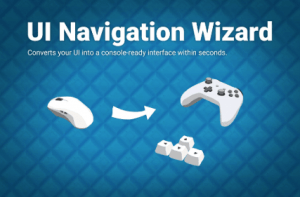
Make your game gamepad-ready within seconds. Completely avoid navigating in a direction away from a selectable if needed.
For more details about this asset: Click Here
This is a paid asset, but now you can download the “UI Navigation Wizard – Gamepad / Keyboard Navigation & Selection” for FREE. Please note that this package is provided solely for learning purposes or to test the product before purchase, and not for commercial use.
UI Navigation Wizard – Gamepad / Keyboard Navigation & Selection v1.0.8
UI Navigation Wizard – Gamepad / Keyboard Navigation & Selection v1.0.7
“Sharing is caring”
Description
Links: Manual | Forum
???? This asset is part of the UI Bundle????
You have made your game for mouse input and now that you want to add controller support you realize: Oh my god, the selection goes everywhere (front, back, out of scene, ..). -> Fear not for the UI Navigation Wizard has arrived to solve all you UI navigation problems with the flick of a mouse.
???? Easy to use
No coding skills required. Simply add a prefab to your scene and call it a day.
✔️ Automated Controller & Keyboard Support
Your UI was designed for mouse or touch and now you need to add controller and keyboard support? No problem. Add the “Navigation Automator” prefab and you are done.
✔️ Occlusion Detection
Automatically prohibits elements in the back from being selected. You don’t need to do anything. Yes, this also work for moving UIs!
NOTICE: The occlusion system does not use the interactable flag. Though, if you want, you can tell it to manage the “interactable” flag on the selectable objects for you.
✔️ Null Selection Resolution
It checks if nothing is selected and automatically selects the UI element that is closest to the position of the last selected element.
Of course you can pause/unpause null selection resolution at any time (for cutscenes, tutorials, …).
✔️ Mix automatic and explicit navigation
You choose whether you want to trust the automatic navigation or control it yourself. Easy parameterizable configuration for each navigation direction. If needed you can even revert back to the Unity default navigation (as if you’d ever want to).
✔️ Works with all selectables (not just Buttons)
✔️ Selection Constraints
Constrain the selectable buttons to just a few from a list. Very handy for tutorials!
Yes, you can add an dremove from that list dynamically and it will work, always.
✔️ Navigation blocking
Completely avoid navigating in a direction away from a selectable if needed.
✔️ Dynamic UI support
All features handle UIs that activate and deactivate at runtime gracefully. No need to inform the wizard. He just knows 😉
???? Lots of examples & documentation
Check out Kamgam/UGUINavigationWizard/Examples.
????️ Full Source Code
I publish this asset with full source code because as a developer I know how annoying it is to not have source code access. If you like it then please remind others to purchase the plugin. Don’t just copy and paste it everywhere. Thank you ❤️
✔️ Supports Unity 2021, 2022, 2023, Unity 6, … LTS
Please make sure you are using the current LTS release.
???? Things you should know ???? (Read this before you buy):
There is an intro section in the manual. Please read it first.
⚠️ Unity 2021.3 or higher is required (LTS releases strongly recommended).