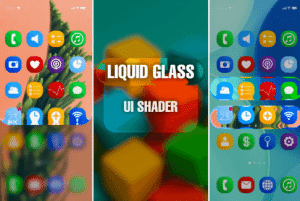
Bring Liquid Glass design language into Unity. A high-performance UI shader with blur, refraction, gloss and distortion. Optimized for both mobile and desktop.
For more details about this asset: Click Here
This package is provided solely for evaluation, learning, or testing purposes before purchase and is not permitted for commercial use.
Liquid Glass & Blur UI Shader – Mobile/Desktop v1.1.4 (Latest version)
“If possible, please buy the package to support the developer”
Description
Bring the stunning liquid glass design into Unity UI. A modern, high-performance solution for glossy, blurred and refractive UI or simply for creating beautiful background blur effects.
🎮 WebGL Demo
Key Features
High performance → Dual-pass Kawase Blur optimized for mobile and desktop (runs smoothly even on older devices).
Beautiful visuals → Distortion & refraction, glossy edge highlights, subtle chromatic aberration.
Flexible customization → Adjust blur, gloss, intensity, and tint to perfectly match your project’s style.
Pipeline support → Works with Built-in, URP and HDRP.
Cross-platform ready → Designed for both mobile and desktop projects.
Easy setup → Clear documentation and demo scenes included to help you get started quickly.
Perfect for
Modern mobile app menus and overlays
In-game panels and HUDs
Projects inspired by recent liquid glass design language
Any UI that needs a sleek, glossy, futuristic look
Simple background blur effects for menus or transitions
Bring the next generation of UI design into your Unity projects – powerful, elegant, and optimized.
Supports Unity 2021.3 LTS, 2022.3 LTS, and Unity 6.x.
Technical details
Render Pipelines: Built-in, URP, HDRP
Supported Platforms: iOS, Android, PC, Console
Unity Versions: Tested with 2021.3 LTS and newer
Features: Dual-pass Kawase Blur, Distortion & Refraction, Gloss Highlights, Chromatic Aberration, Color Tint & Saturation
Includes: Shader, editor tool for content generation, demo scene, documentation
Limitations: UI-only (not for 3D meshes), effect does not stack on overlapping UI elements