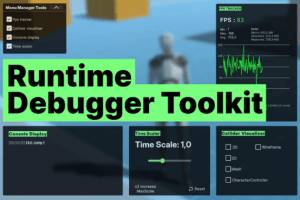
A runtime debug toolkit for Unity editor/build : visualize colliders, monitor logs, track FPS & system stats, and adjust time scale — all through intuitive, in-game UI panels. Fast setup, easy to use.
For more details about this asset: Click Here
This is a paid asset, but now you can download the “Runtime Debugger Toolkit” for FREE. Please note that this package is provided solely for learning purposes or to test the product before purchase, and not for commercial use.
Runtime Debugger Toolkit v1.0.0 (25 Oct 2025) (Latest version)
“Sharing is caring”
Description
Runtime Debugger Toolkit is a modular suite for Unity developers, featuring four tools to simplify runtime debugging and enhance your development workflow.
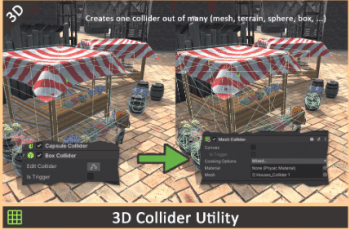
Collider Visualizer – View 2D/3D colliders directly in your game.
In-Game Console – See logs, warnings, and errors live in both editor and build.
FPS Tracker – Monitor performance and system stats with real-time graphs.
Time Scaler – Adjust simulation speed for testing and optimization.
These tools are fully customizable and accessible via draggable UI panels. You can toggle features individually and adapt their look or behavior through exposed variables in the Inspector.
Perfect for any project genre — from prototypes to full games — and compatible with Built-in, URP, and partially HDRP (except the collider visualizer).
Includes a demo scene and support for Unity’s Starter Assets, making it easy to get started.
Technical details
• Solid or wireframe mode, customizable colors via Inspector.Collider Visualizer (RuntimeColliderDebugger)
Visualizes 2D/3D colliders in-game.
• Green = accurate mesh
• Yellow = convex mesh approximation
• Filter log types and set max message count (default: 100)In-Game Console (InGameConsoleDisplay.cs)
• Displays logs, warnings, errors in builds and editor
• Optional dynamic max FPS scaling FPS Tracker (FPSGraph.cs)
• Real-time FPS graph with system info
• Adjustable graph size and FPS cap
• Reset button restores default scaleTime Scaler (Time_Scaler_Canvas)
• Adjust Time.timeScale in-game
• Extend slider max with one click (no upper limit)
• Draggable panel to toggle all tools individuallyFoldable UI Menu
• Just drop the prefab into your scene Plug-and-Play
• All tools supported in HDRP except Collider VisualizerRender Pipeline Support
• Works with Built-in and URP
• Third-person controller playground to test tools quickly Starter Asset Demo Included