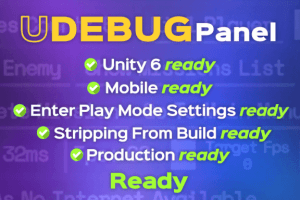
Meet UDebug Panel, the ultimate in-game debug panel for Unity. Designed for developers who demand efficiency, our tool gives you instant access to game variables, and real-time controls – right inside your build.
For more details about this asset: Click Here
This is a paid asset, but now you can download the “UDebug Panel – Ingame Debug Tools” for FREE. Please note that this package is provided solely for learning purposes or to test the product before purchase, and not for commercial use.
UDebug Panel – Ingame Debug Tools v1.3.3 (Latest version)
“Sharing is caring”
Description
Debug Smarter, Ship Faster.
No more tedious debugging workflows.
No more endless code changes just to test a simple tweak.
With an intuitive UI, customizable actions, and seamless integration, Debug Panel helps you debug, test, and fine-tune your game on the fly. Adjust values, trigger events, inspect logs, and optimize performance—all without ever leaving play mode.
Faster iteration. Smoother development. Better games.
Debug Panel – Debug Like a Pro.
Technical details
– In-Game Debug Panel – Access powerful debugging tools without leaving play mode.
– Variable Editing in Real Time – Modify game values on the fly and see instant results.
– Custom Debug Commands – Easily add buttons, toggles, selectors, and much more, for quick testing.
– Responsive – Design supports any resolution or orientation.
– High performance – Supports thousands of debug actions. With the debug panel closed, footprint is negligible.
– Quick Integration – Import the package, and start debugging in minutes—no complex setup required.
– Works in Editor & Build – Since it’s built using Unity UGUI, works both on the Unity Editor and standalone builds.
– Full C# source code included.
Asset uses SpaceMono font under Open Font License; see Third-Party Notices.txt file in package for details.