Dev Asset Collection

All Things That You Need to Build A Video Game
Menu
  • 2D
    • Characters
    • Environments
    • Fonts
    • GUI
    • Textures & Materials
  • 3D
    • Animations
    • Characters
    • Environments
    • GUI
    • Props
    • Vegetation
    • Vehicles
  • Add-Ons
    • Machine Learning
    • Services
  • Audio
    • Ambient
    • Music
    • Sound FX
  • Essentials
    • Tutorial Projects
  • Templates
    • Packs
    • Systems
    • Tutorials
  • Tools
    • AI
    • Animation
    • Audio
    • Camera
    • Game Toolkits
    • GUI
    • Input Management
    • Integration
    • Level Design
    • Localization
    • Modeling
    • Network
    • Painting
    • Particles & Effects
    • Physics
    • Sprite Management
    • Terrain
    • Utilities
    • Version Control
    • Video
    • Visual Scripting
  • VFX
    • Particles
    • Shaders
Home
Tools
Particles & Effects
Shuriken to Spritesheet – Dev Community

Shuriken to Spritesheet – Dev Community

Tsunami 13 August, 2020
Sending
User Rating 4 (1 vote)

For more detail this asset from the Unity Asset Store: Click Here

Shuriken to Spritesheet v2.1.0

Download Now

“Sharing is caring”

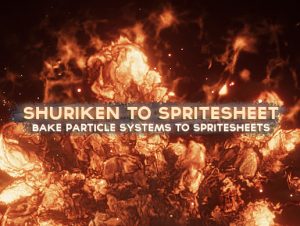
Easily convert your Shuriken particle systems into high-resolution spritesheets AND/OR single-texture sprites!

● Create NEW assets!
● Multi-select and nesting is supported.

× ❰❰ DOCUMENTATION ❱❱ ×

For previews, support, suggestions, and general discussion for this asset, check out the official Unity forum support thread!

× ❰❰ UNITY FORUM SUPPORT THREAD ❱❱ ×

Simply select your particle system(s) and a camera, setup the output resolution, frame sizes, and simulated duration, and that’s it!

NOTE: It’s important that to get perfect colour transparency your particles use alpha blended shaders.

Transparency with colours for particles with additive shaders can only be approximated using the built-in controls. If you’re using a particle system with just additive shaders, you can disable transparency to preserve colouring and use an additive shader with the output spritesheet. This will re-enable full transparency (black == 0.0).

Because you choose which camera to render with, you have the option to add in post-effects such as BLOOM, BLURRING, and MORE using any image effect!

● Suitable for both 2D and 3D effects.

If you’d like to see examples of how this tool has been used, please check out my particle system packages:

– Ultimate VFX
– Inferno VFX (FREE)


Prev Article
Next Article

Related Articles

Ivy Studio – Procedural vine generation – Dev Community
Tsunami 22 December, 2025

Ivy Studio – Procedural vine generation – Dev Community

Bezier curved particles flow editor – Dev Community
Tsunami 27 August, 2020

Bezier curved particles flow editor – Dev Community

Lumen: Stylized Light FX 2 – Dev Community
Tsunami 16 May, 2026

Lumen: Stylized Light FX 2 – Dev Community

Lightning Effect – Dev Community
Tsunami 5 June, 2021

Lightning Effect – Dev Community

Leave a Reply Cancel Reply

Recent Posts

  • Urban Traffic System Full Pack – Free Download
  • LowPoly City Generator – Free Download
  • Cyberpunk Ninja Girl Vex – Free Download
  • Succubus Sisters: Complete Edition – Free Download
  • Horror Maiden – Free Download

Dev Asset Collection

All Things That You Need to Build A Video Game
Copyright © 2026 Dev Asset Collection
Privacy Policy | Disclaimer | DMCA