Create new sub meshes inside Unity for any model. Assign your materials with ease.
For more details about this asset: Click Here
This is a paid asset, but now you can download the “Polygon Material Painter – Sub-Mesh Editor” for FREE, Please keep in mind this package is provided only for learning purposes or to be able to test before buying the product, NOT FOR COMMERCIAL PURPOSES.
Polygon Material Painter – Sub-Mesh Editor v1.5.0 (11 Sep 2024) (Latest version)
Polygon Material Painter – Sub-Mesh Editor v1.4.0
Polygon Material Painter – Sub-Mesh Editor v1.3.0
“Sharing is caring”
😺 This asset is also part of the Mesh Tools Bundle. 😺
✔️ Super easy to use.
Draw on the mesh and then pick a material. Done.
✔️ None-Destructive workflow
Automatically generates a new mesh asset (.asset file). Your original asset remains the same.
✔️ Skinned Mesh Support
Keeps all your bone weights and animations intact.
⚠️ Please notice that the .obj file format does not support bones or animation. Thus that information can not be exported as obj.
✔️ Brush for high-poly meshes
Though you should keep it under a hundred thousand triangles for best performance.
✔️ Undo/Redo for selections
✔️ .OBJ Export
In case you need to pass your new mesh around.
✔️ Full Source Code included!
I publish this asset with full source code because as a developer I know how annoying it is to not have source code access. If you like it then please remind others to purchase the plugin. Don’t just copy and paste it everywhere. Thank you ❤️
✔️ Supports Unity 2020, 2021, 2022, … LTS
⚠️ This is NOT a runtime system. It is EDITOR only.
✍️ Usage
1) Open the tool via Tools > Polygon Material Painter > Start (or via the Tools bar).
2) Select the object you want to paint on.
3) Pick the triangles.
4) Hit the “Assign” button.
5) Done, you will now have a new .asset with the materials and sub-meshes.
😎 HINT 1:
Select one single triangle and then hit the “Select Linked” button. It may already select everything you need.
🧐 HINT 2:
If you press S while selecting you can trigger “Select Linked”. And if you press SHIFT + S you can deselect-linked.
🤠 HINT 3:
Reduce the brush size to 0 to select only one triangle at a time. Use SHIFT + MOUSE WHEEL to change the brush size.
🤓 HINT 4:
Hit the “Assign” button again on any materials to re-use your last selection.
🤫 HINT 5:
Hit Escape twice to quickly exit the tool.
Btw.: All the options have tooltips.
⚠️ Caveats (please read this)
While the tools does not place any limit on how many different sub meshes you can create it is bad practice to use too many of them. Each new material assigned will come at a performance cost and thus slows down your game. That’s a general limitation of how these render systems work and has nothing to do with the tool itself.
The tool makes it easy to draw a LOT of new sub meshes quickly. Just keep that in mind please.
HINT: Consider using a shader based approach if you need a lot of different textures on a single mesh.HINT: You should keep the „Merge same materials“ option turned on to merge areas which use the same material. Only turn it off if really necessary.
This is NOT a runtime system. It is EDITOR only.
☎️ Support
If you have any questions please write to office[at]kamgam.com. Please be patient, replies may take a few days. Please include your Asset Store Order Nr and Unity version in your request.
Thank you.
❤️ If you like this asset then maybe you’ll like these too:
🧤 Double Sided Mesh without shaders
Make your mesh double sided within seconds.
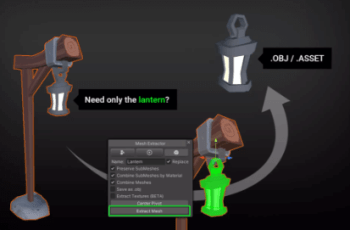
⚒️ Mesh Extractor
Extract meshes, materials and textures.
⚙ Unified Settings & Game Options UI
One Settings UI + API for all render pipelines.
🔑 License Info
This asset requires one license per seat (user who has access to the asset files). If you are a team then please consider buying one seat per Unity user.
Why am I telling you this?
Because most people do not know. In fact any asset found under the Tools category falls under a license type collectively known as Extension Assets(see official license explanation) which differs from the standard (Entity) licenses.