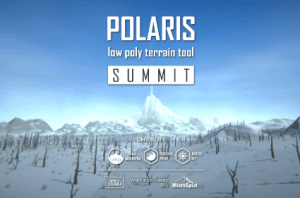
A mesh based low poly terrain editor for Unity. Built for stylized projects that need runtime control; PC, mobile and VR fit; and a workflow that does not rely on built-in Terrain.
For more details about this asset: Click Here
This is a paid asset, but now you can download the “Polaris Summit – Low Poly Terrain Editor” for FREE. Please note that this package is provided solely for learning purposes or to test the product before purchase, and not for commercial use.
Polaris Summit – Low Poly Terrain Editor v3.4.3 (12 Mar 2026) (Latest version)
Polaris Summit – Low Poly Terrain Editor v3.4.0
“Sharing is caring”
Description
Stylized terrain that looks the way you wanted, without fighting built-in Terrain.
Polaris Summit is a mesh based low poly terrain editor for Unity, built for stylized and performance sensitive projects. It is a native alternative terrain workflow inside Unity, not a built-in Terrain add on. If you want terrain that behaves like the rest of your mesh pipeline, Polaris is built for that job.
BUILT FOR
Stylized and low poly games that need stronger look control.
Projects where you want terrain to fit naturally into a mesh based workflow.
Runtime editable terrain.
Mobile, VR, and performance budgeted projects.
WHY BUILT-IN TERRAIN MAY NOT FIT
Built-in Terrain is fine for many projects. But for stylized low poly terrain, it can become a detour. You can reduce the geometry and still end up with terrain that reads smooth instead of properly faceted. You can force a sharper result with geometry shader style tricks, but then the look starts depending on rendering workarounds and narrower platform compatibility (DX11 only).
Polaris avoids that detour by rendering terrain as regular meshes from the start. Faceted, smooth, and hybrid shading are part of the workflow itself, so the final look is easier to direct and closer to what a stylized low poly project actually needs.
WORKFLOW
Start broad, then refine. Stamps and splines handle the overall result. Brushes handle local shaping and cleanup. Both modes can shape geometry, texture the surface, and drive population.
Create multi tile terrain with the setup wizard.
Block out shape, textures, and population with stamps and splines.
Polish locally with around 20 brush types.
Refine with hydraulic and thermal erosion.
Populate with trees, grass, and props.
Live preview lets you see the result before any change is committed.
WHAT YOU CAN DO WITH POLARIS
Create and edit multi tile terrain.
Shape the terrain with stamps, splines, and brushes.
Color and shade it for stylized low poly visuals.
Populate it with trees, grass, and props.
Keep it editable at runtime.
Extend and adapt it to your game with scripting API.
Under the hood, Polaris also supports adaptive geometry, multiple shading models, vegetation culling and LOD, and integrations with tools like World Streamer, MicroSplat, and Amplify Shader Editor.
NO LOCK IN
Polaris gives you a practical bridge in and out of the workflow. Convert from built-in Terrain into Polaris when you want a mesh based stylized pipeline, then convert back when a third party tool needs built-in Terrain format. Import and export raw heightmaps and textures from tools like World Machine, World Creator, and Gaea.
WHY SUMMIT
Summit is the complete Polaris and the edition we recommend by default. It is the clearest expression of the full Polaris workflow.
Valley is the entry point. Highland expands the procedural workflow. Summit is the full flagship. If you are unsure which edition to choose, start with Summit.
See edition comparison.
Upgrade from a lower edition at a reasonable fee. No re-purchase required.
Technical details
CORE SYSTEM
Terrain representation: Mesh based low poly terrain generated from heightmaps.
Geometry generation: Adaptive (non-uniform) mesh density with up to 4 LOD levels, cross tile edge matching, holes support, XZ displacement, flat/smooth normal mixing.
Execution model: Multi-threaded terrain processing using C# Job System, optional Burst compilation, and GPU compute where applicable.
Multi-tile editing: Edit and manage multiple terrain tiles simultaneously.
EDITING TOOLS
Live preview: See the result before making actual change to the terrain, in realtime.
Paint tools: ~20 brush types for sculpting, texturing, and spawning; runtime painting supported.
Stamp tools: Procedural sculpting, texturing, and spawning.
Spline tools: Make riverbeds, mountain passes, paint roads and spawn objects along the path.
Erosion simulator: Hydraulic and thermal erosion (compute shader based).
Texture creator: Terrain texture authoring utilities.
Billboard editor: Billboard asset generation.
Group & backup tools: Multi-terrain management, undo, and backup.
Data tools: Import and export terrain related data.
Converter: Convert Unity Terrain data to mesh based low poly terrain.
Extension system: Modular extensions and third party integrations.
In-editor help: Searchable FAQ and documentation access.
RENDERING & VEGETATION
Terrain rendering: Use standard mesh renderers.
Vegetation system:
GPU instancing.
No game object overhead.
Cell based culling.
LOD selection by distance with transitions.
Billboard support.
Grass wind animation and interaction (touch bending).
Automatic vertex reduction for distant grass.
SHADING
Supports multiple shading models and data inputs:
Lambert, Blinn-Phong, PBR.
Gradient lookup, color maps, vertex colors, splat maps.
Terrain shaders can be customized with Shader Graph or Amplify Shader Editor.
SUPPORTED RENDER PIPELINES
Builtin RP.
Universal RP.
COMPATIBILITY
Vista: Procedurally generate your low poly terrain using graphs, in a non-destructive manner, with biomes and advanced simulations.
Amplify Shader Editor: Customize the provided shaders to fit your special needs using a visual graph.
MicroSplat: Advanced terrain shader with modern techniques, high visual fidelity and performance.
Vegetation Studio Pro: Advanced procedural foliage placement and rendering.
World Streamer: Dynamically stream a huge level and gain top notch performance.
Other terrain assets: You can use other assets to create the terrain, then convert it to low poly terrain using the provided converter.
Other terrain generator applications: You can use application like World Machine, World Creator 2, Gaea to create terrain textures then importing them using Data tools.
REQUIREMENTS
Unity 2021.3+
Compute Shader requirement (for erosion tools):
Windows: DX11/DX12, Shader Model 5.0 GPU
macOS: Metal API
PACKAGE DEPENDENCY
Required:
Mathematics (com.unity.mathematics)
Editor Coroutines (com.unity.editorcoroutines)
Collections (com.unity.collections)
Optional:
Burst Compiler (com.unity.burst)