This is a paid asset, but now you can download Mobile Touch Floating Joysticks with Options for FREE, Please keep in mind this package is provided only for learning purposes or to be able to test before buying the product, NOT FOR COMMERCIAL PURPOSES.
For more details about this asset: Click Here
Mobile Touch Floating Joysticks with Options v1.0
“Sharing is caring”
The comments in the code for the joystick(s) help you understand how it (the joystick itself) works.
The code runs on mobile (android and ios) devices, it does not run on PC.
You must develop the code on your PC and use the Unity Remote app (see Unity Documentation) in order to run the code on your mobile device to see if it works.
This package is made both for people who are comfortable with code and/or those who wish to have a scene that is fully functional in terms of player control where you use the joystick(s), and it controls the player with animations.
The code of the joystick (C#) is fully commented so that you can fully understand how it works.
To explain, the joystick itself generates a normalized direction vector as the user drags their finger on the visible portion of its background image.
It generates values in the x between -1 and 1 and y values between -1 and 1. It works as if moving a point on a trigonomic unit circle.
You can get this input data by calling the GetInputDirection() function of the joystick.
You can read the comments in the code to understand in full how the joystick generates this data.
There are 4 functional demos in this package. Each one demonstrates a different setup of the joystick. Each one controls the player character movement with the joystick. The player character is a 3d humanoid model with mechanim animation clips that are triggered to run in the code.
You can use the demos as they are and/or modify them in code for your own project.
You can replace the images that make up the joystick with your own.
You can use the 3d models (character and pistol) and animation clips freely in your own projects and/or replace them with your own.
uses Unity UI that came out in unity 4.6
floating joysticks, half-screen limited or not, with optional settings for always fixed, always visible
-appears where the screen is touched, disappears when that touch ends
-drags along with the finger (floating joystick)
-each joystick can be optionally set to always stay fixed / stay visible
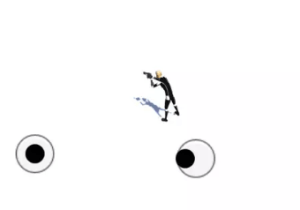
includes 4 demos, each controlling a player character with animations, as seen in the video
dual joystick demo – are 2 joysticks, left joystick’s movement and position limited to the left-half side of the screen, right joystick’s movement and position limited to the right-half side of the screen
single joystick demo – is 1 joystick, this single joystick can be moved and positioned anywhere on the screen
single left joystick demo – is 1 joystick, this left joystick’s movement and position limited to the left-half side of the screen
single right joystick demo – is 1 joystick, this right joystick’s movement and position limited to the right-half side of the screen