Dev Asset Collection

All Things That You Need to Build A Video Game
Menu
  • 2D
    • Characters
    • Environments
    • Fonts
    • GUI
    • Textures & Materials
  • 3D
    • Animations
    • Characters
    • Environments
    • GUI
    • Props
    • Vegetation
    • Vehicles
  • Add-Ons
    • Machine Learning
    • Services
  • Audio
    • Ambient
    • Music
    • Sound FX
  • Essentials
    • Tutorial Projects
  • Templates
    • Packs
    • Systems
    • Tutorials
  • Tools
    • AI
    • Animation
    • Audio
    • Camera
    • Game Toolkits
    • GUI
    • Input Management
    • Integration
    • Level Design
    • Localization
    • Modeling
    • Network
    • Painting
    • Particles & Effects
    • Physics
    • Sprite Management
    • Terrain
    • Utilities
    • Version Control
    • Video
    • Visual Scripting
  • VFX
    • Particles
    • Shaders
Home
Tools
Utilities
Magic Time – Control Time per Object (Local Time Scale) – Free Download

Magic Time – Control Time per Object (Local Time Scale) – Free Download

Tsunami 28 December, 2025
Sending
User Rating 1 (1 vote)

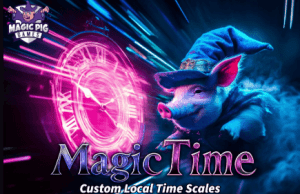
You need more control over Time. Magic Time enables stacked time scales for each object, allowing you to precisely control the DeltaTime used by each object.

For more details about this asset from the Unity Asset Store, please visit: Click Here

This is a paid asset, but now you can download the “Magic Time – Control Time per Object (Local Time Scale)” for FREE. Please note that this package is provided solely for learning purposes or to test the product before purchase, and not for commercial use.

Magic Time – Control Time per Object (Local Time Scale) v1.0.6.1 (21 Dec 2025) (Latest version)

VIP Only

Magic Time – Control Time per Object (Local Time Scale) v1.0.5 (05 Oct 2025)

VIP Only

“If possible, please buy the package to support the developer”

Description
————————————————–

Support, Questions, News & Updates

➡️ Discord

➡️ Scripting Documentation

➡️ YouTube Tutorials

————————————————–

Magic Time – Local Time Scale brings per-object local time scales to your project. What does that mean?!?!

It means you can stack time scale influences onto a single object so that each object can have independent time from other objects, allowing you more control over how individual objects move through your project.

➡ Make all enemies slow down

➡ Change the speed of an individual object

➡ Create zones where time speeds up or slows down

➡ Take control over your timescale

➡ Easy to use: Replace Time.deltaTime with MagicTimeUser.DeltaTime

⭐️ Extensive documentation

⭐️ Tons of YouTube videos

⭐️ Strong Discord community with support

————————————–

???? Integrations

???? Projectile Factory

♥️ Game Modules 4

————————————–

Check out more info & all of our tools and models at InfinityPBR.com

————————————–

If you do get this package, thank you very much! Please leave a rating and review so others can find out what’s what about it!


Get paid unity asset for free
Prev Article
Next Article

Related Articles

DevTasks – Offline Project Manager – Free Download
Tsunami 11 October, 2025

DevTasks – Offline Project Manager – Free Download

Code Monkey Toolkit – Free Download
Tsunami 22 May, 2025

Code Monkey Toolkit – Free Download

vFolders 2 – Free Download
Tsunami 11 February, 2025

vFolders 2 – Free Download

Puzzler for HORROR FPS KIT – Free Download
Tsunami 29 August, 2022

Puzzler for HORROR FPS KIT – Free Download

Leave a Reply Cancel Reply

Recent Posts

  • Characters City Pack 1 – Free Download
  • vHierarchy – Free Download
  • Realistic 6D Lighting Explosions Pack – Free Download
  • Ragdoll Animator 2 – Free Download
  • Sky Master ULTIMATE: Volumetric Skies & Weather – Free Download

Dev Asset Collection

All Things That You Need to Build A Video Game
Copyright © 2026 Dev Asset Collection
Privacy Policy | Disclaimer | DMCA