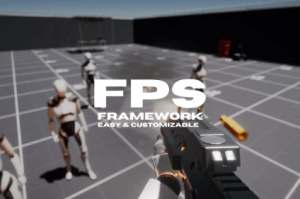
An advanced FPS system for all of your first person games. The framework is regularly updated with new features and fully supports the latest Unity versions, including Unity 6.
For more details about this asset: Click Here
This package is provided solely for evaluation, learning, or testing purposes before purchase and is not permitted for commercial use.
FPS Framework 2.0 v2.2.8 (Latest version)
FPS Framework 2.0 v2.2.7
FPS Framework 2.0 v2.2.4
FPS Framework 2.0 v2.2.3 (01 Apr 2026)
FPS Framework 2.0 v2.2.1 (02 Mar 2026)
FPS Framework 2.0 v2.1.3 (06 Nov 2025)
FPS Framework 2.0 v2.1.2 (30 Oct 2025)
FPS Framework 2.0 v2.1.0 (11 Oct 2025)
FPS Framework 2.0 v2.0.0 (11 Apr 2025)
“Sharing is caring”
Description
DEMO – DISCORD – ROADMAP – DOCUMENTATION
NOTE: FPS Framework does not include multiplayer support by default. However, a multiplayer add-on will be released soon.
Joining the Discord channel is highly advised if you want to access the whole archive, source files, customer service, and extra free content.
Whether you’re new to Unity or an experienced developer, FPS Framework is easy to use. It has a solid foundation, clean code, and runs smoothly, making it perfect for any FPS project, even existing ones. The framework is regularly updated with new features and fully supports the latest Unity versions, including Unity 6.
– Fully Customizable Framework: The framework was designed with extensive modification capabilities, making it easier to implement features such as multiplayer integration.
– Modular Character Controller: Allows you to easily add new features to the character controller.
– Rigidbody FPS Controllers Support: You can replace the character controller with a Rigidbody FPS Controller
– Replace Systems With Yours: You can replace core things like the movement and other things with your custom ones.
– Flexible Inventory: Accepts custom guns, items, and pretty much anything you give it. You can make ANY custom item type and it will handle it perfectly.
– Feature-Rich Firearm System: The firearm system in the framework is feature-rich and easy to use. It’s also modular, just like everything else. With the firearm system, you can create pretty much any type of gun you like.
– Explosions: Modular explosion systems to make beautiful and accurate explosions.
– Explosive Projectiles: You can make the projectiles of the firearm explosive to make rocket launcher like guns.
– Respawn System: An easy to use system that allows spawing and respawing of actors on both Bots and Player.
– Advanced Audio System: Modular audio system that allows you to play and manage your audio clips, giving you deeper 6D sounds and custom events of your choice to reach maximum control.
– Custom Spray Patterns For the Firearm: The custom spray patterns allow you to give your player more control and make playing your game a lot easier and more fun.
– Modular Attachments System: The firearm system can have attachments that affect the gun under your order. Adding attachments is really easy and quick process.
– Procedural Aninmation System: Amazing modular procedural animation system that allows you to create any FPS animation with minimal work on your end. Give it a value and let it do its work.
– Game Feel At Its Best: The modular systems allows you to make smooth animations, and great game feel with minimal work on your end.
– New Input System: Based on Unity’s new input system, makes Gamepad support and mobile support really easy.
– Gamepad Support: All gamepads are supported out of the box.
– Modular Interactables System: With this system, you can easily add new types of interaction with no effort at all.
– Advanced Settings Menu: The settings menu is extremely flexible and accepts custom code; you can add ANY option to the settings menu really easily.
– UI Toolkit: default UI elements are really useful, and here are someof them:
1. Settings menu
2. Hitmarker
3. Gun info (Gun name, Ammo count, and Ammo type)
4. Player info (Player name and player health)
5. Improved slider UI Element
6. Carousel selector UI Element
7. Loading screen
8. Menu system
9. Menu manager and a lot more