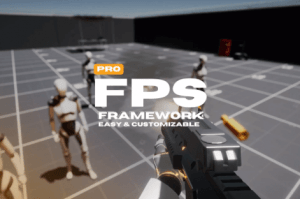
The ultimate all-in-one solution for any FPS game built on a powerful foundation that seamlessly supports both singleplayer and multiplayer in one asset.
For more details about this asset: Click Here
This package is provided solely for evaluation, learning, or testing purposes before purchase and is not permitted for commercial use.
FPS Framework Pro 2.0 v2.2.8 (Latest version)
FPS Framework Pro 2.0 v2.2.7
FPS Framework Pro 2.0 v2.2.6
FPS Framework Pro 2.0 v2.2.3
FPS Framework Pro 2.0 v2.2.1 (02 Mar 2026)
FPS Framework Pro 2.0 v2.1.2 (30 Oct 2025)
“Sharing is caring”
Description
Note: FPS Framework Pro automatically provides access to the standard FPS Framework asset. If you already own the standard FPS Framework, you’ll be eligible for a discount on FPS Framework Pro.
Whether you’re new to Unity or an experienced developer, FPS Framework is easy to use. It has a solid foundation, clean code, and runs smoothly, making it perfect for any FPS project, even existing ones. The framework is regularly updated with new features and fully supports the latest Unity versions, including Unity 6.
– Multiplayer Integration: FPS Framework Pro comes with Mirror networking by default, fully integrated into the framework. Additionally, the code is structured to allow integration with any other networking solution you prefer.
– Singleplayer/Multiplayer: The asset provides both singleplayer and multiplayer in the same project with a seamless transition.
– Fully Customizable Framework: The framework was designed with extensive modification capabilities, making it easier to implement features such as multiplayer integration.
– Modular Character Controller: Allows you to easily add new features to the character controller.
– Rigidbody FPS Controllers Support: You can replace the character controller with a Rigidbody FPS Controller.
– Replace Systems With Yours: You can replace core things like the movement and other things with your custom ones.
– Flexible Inventory: Accepts custom guns, items, and pretty much anything you give it. You can make ANY custom item type and it will handle it perfectly.
– Feature-Rich Firearm System: The firearm system in the framework is feature-rich and easy to use. It’s also modular, just like everything else. With the firearm system, you can create pretty much any type of gun you like.
– Explosions: Modular explosion systems to make beautiful and accurate explosions.
– Explosive Projectiles: You can make the projectiles of the firearm explosive to make rocket launcher like guns.
– Respawn System: An easy to use system that allows spawing and respawing of actors on both Bots and Player.
– Advanced Audio System: Modular audio system that allows you to play and manage your audio clips, giving you deeper 6D sounds and custom events of your choice to reach maximum control.
– Custom Spray Patterns For the Firearm: The custom spray patterns allow you to give your player more control and make playing your game a lot easier and more fun.
– Modular Attachments System: The firearm system can have attachments that affect the gun under your order. Adding attachments is really easy and quick process.
– Procedural Aninmation System: Amazing modular procedural animation system that allows you to create any FPS animation with minimal work on your end. Give it a value and let it do its work.
– Game Feel At Its Best: The modular systems allows you to make smooth animations, and great game feel with minimal work on your end.
– New Input System: Based on Unity’s new input system, makes Gamepad support and mobile support really easy.
– Gamepad Support: All gamepads are supported out of the box.
– Modular Interactables System: With this system, you can easily add new types of interaction with no effort at all.
– Advanced Settings Menu: The settings menu is extremely flexible and accepts custom
code; you can add ANY option to the settings menu really easily.
– UI Toolkit: default UI elements are really useful, and here are someof them:
1. Settings menu
2. Hitmarker
3. Gun info (Gun name, Ammo count, and Ammo type)
4. Player info (Player name and player health)
5. Improved slider UI Element
6. Carousel selector UI Element
7. Loading screen
8. Menu system
9.
8. Menu manager and a lot more