Dev Asset Collection

All Things That You Need to Build A Video Game
Menu
  • 2D
    • Characters
    • Environments
    • Fonts
    • GUI
    • Textures & Materials
  • 3D
    • Animations
    • Characters
    • Environments
    • GUI
    • Props
    • Vegetation
    • Vehicles
  • Add-Ons
    • Machine Learning
    • Services
  • Audio
    • Ambient
    • Music
    • Sound FX
  • Essentials
    • Tutorial Projects
  • Templates
    • Packs
    • Systems
    • Tutorials
  • Tools
    • AI
    • Animation
    • Audio
    • Camera
    • Game Toolkits
    • GUI
    • Input Management
    • Integration
    • Level Design
    • Localization
    • Modeling
    • Network
    • Painting
    • Particles & Effects
    • Physics
    • Sprite Management
    • Terrain
    • Utilities
    • Version Control
    • Video
    • Visual Scripting
  • VFX
    • Particles
    • Shaders
Home
VFX
Shaders
DirectX 11 Low Poly Shader – Dev Community

DirectX 11 Low Poly Shader – Dev Community

Tsunami 10 August, 2020
Sending
User Rating 4 (1 vote)

For more detail this asset from the Unity Asset Store: Click Here

DirectX 11 Low Poly Shader v0.9

Download Now

“Sharing is caring”

DirectX 11 Low Poly Shader 

Download Now

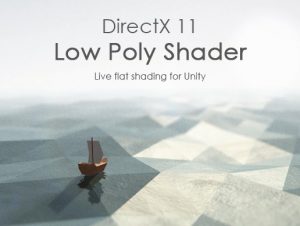
DirectX 11 Low Poly Shader creates flat shaded/low poly effect.
Just apply shader to any mesh and it will be rendered in most demanded and artistic – low poly style.

DirectX 11 Low Poly Shader is faster and much more efficient than traditional ways of creating similar effect.

The only possible way for creating flat shaded/low poly effect nowadays consists in removing smoothing group from a mesh and require each face to have unique vertices at each corner, thus increasing total mesh vertex.
• ‘Low poly’ meshes created that way use much more GPU memory and as a result are slow in rendering (than original).
• Can have problems with mesh batching.
• Have limit on vertex count.
• Not all mesh types and features are supported.
• and many other limitations.

DirectX 11 Low Poly Shader has no such problems:
• Does not need mesh conversion.
• Does not increase mesh vertex count.
• Uses the same amount of GPU memory as the original mesh.
• Is faster in rendering.
• Perfect for run-time generated meshes.
• Has no limitations on mesh types.
• It just has no limitations.

Still have questions? Forum is here.

Note!
• DirectX 11 is not required, only Geometry Shaders support.
• Before purchasing check target device compatibility with this test shaders.
• Shaders currently support only Standard (built-in) render pipeline.


Prev Article
Next Article

Related Articles

Height Shader – Dev Community
Tsunami 17 August, 2022

Height Shader – Dev Community

Blink/Gloss (uGUI, 3D) – Dev Community
Tsunami 20 August, 2020

Blink/Gloss (uGUI, 3D) – Dev Community

RaindropEffect-HDRP – Dev Community
Tsunami 8 March, 2024

RaindropEffect-HDRP – Dev Community

Minimalist – Lowpoly Flat/Gradient Shader – Dev Community
Tsunami 9 January, 2021

Minimalist – Lowpoly Flat/Gradient Shader – Dev Community

Leave a Reply Cancel Reply

Recent Posts

  • Dog Chaos – Complete Mobile Game Template – Dev Community
  • Legendary Caves & Dungeons – Dev Community
  • MIGHTY TRACKING – Dev Community
  • Enemy Shooter AI for Playmaker – Dev Community
  • Garage Props Collection HQ – Dev Community

Dev Asset Collection

All Things That You Need to Build A Video Game
Copyright © 2026 Dev Asset Collection
Privacy Policy | Disclaimer | DMCA