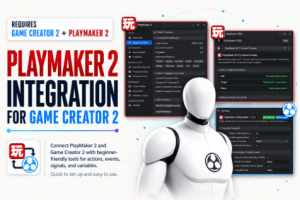
Connect PlayMaker 2 and Game Creator 2 with a beginner-friendly bridge for actions, events, signals, variables, and gameplay context, no custom integration code required.
For more details about this asset: Click Here
This package is provided solely for evaluation, learning, or testing purposes before purchase and is not permitted for commercial use.
PlayMaker 2 Integration for Game Creator 2 v1.1.5
“If possible, please buy the package to support the developer”
Description
Connect PlayMaker 2 and Game Creator 2
PlayMaker 2 Integration for Game Creator 2 connects both visual scripting systems in one simple and beginner-friendly workflow.
Use PlayMaker 2 to organize state machines and control high-level game flow while continuing to build actions, characters, interactions, and gameplay systems with Game Creator 2.
No custom integration code is required. Install the package, configure the bridge, and start connecting your existing visual logic.
✨ Main Features
Run Game Creator 2 Instructions from PlayMaker FSMs
Start and communicate with PlayMaker FSMs from Game Creator 2
Exchange events and signals between both systems
Read and work with variables across your workflows
Automatically resolve Self, Target, and Player references
Inspect connections and integration status
Access project overview, diagnostics, and configuration tools
Keep each tool focused on what it does best
Use the integration with any game genre
Beginner-friendly setup and visual workflow
🧠 A Simple Combined Workflow
Use PlayMaker 2 for:
State machines
Flow orchestration
Visual logic
High-level gameplay decisions
Use Game Creator 2 for:
Actions and triggers
Characters and navigation
Interactions
Gameplay systems
World logic
The integration acts as a bridge between them, allowing both systems to communicate without replacing their native workflows.
🎯 Automatic Gameplay Context
Game Creator 2 Instructions often depend on contextual references such as:
Self
Target
Player
The included context provider automatically supplies these references when Instructions are executed from inside a PlayMaker FSM. Manual overrides are also available when you need more control.
This helps reduce repetitive setup and makes actions easier to reuse across different objects and scenes.
🔁 Events, Signals, and Variables
Create responsive gameplay by connecting communication between both frameworks.
Examples include:
Triggering a PlayMaker event after a Game Creator action
Sending a Game Creator signal from an FSM
Starting gameplay routines from a PlayMaker state
Sharing relevant values between visual workflows
Reacting to characters, objects, interactions, or world events
Coordinating larger gameplay sequences across both systems
🛠️ Built-In Integration Tools
The package includes dedicated tools to help you configure and understand your project:
Project integration overview
Environment and dependency information
Integration settings
Automatic project indexing
Cross-framework reference inspection
Context resolution settings
Diagnostics for potential integration issues
Quick access to common maintenance actions
These tools are designed to keep the integration clear and manageable as your project grows.
👥 Who Is This For?
This package is useful for:
Beginners working with visual scripting
Existing PlayMaker projects adopting Game Creator 2
Game Creator 2 users who want state-machine workflows
Designers and artists who prefer visual tools
Developers who want to reduce repetitive bridge code
Teams using both frameworks in the same Unity project
Technical details
Key Features
Bidirectional integration between PlayMaker 2 and Game Creator 2
Execute Game Creator 2 Instructions from PlayMaker FSMs
Trigger and communicate with PlayMaker FSMs from Game Creator 2
Bridge PlayMaker events and Game Creator 2 signals
Access and exchange variables between both workflows
Automatic Self, Target, and Player context resolution
Optional manual context overrides
Property bindings and cross-framework references
Project Overview with integration and dependency status
Scene Explorer and project indexing tools
Diagnostics for potential integration issues
Telemetry traces for debugging connected workflows
Configurable global events and signal relay
Quick setup and beginner-friendly visual workflow
Suitable for any game genre
Requirements
PlayMaker 2
Game Creator 2
Both dependencies are sold separately and are not included with this package.