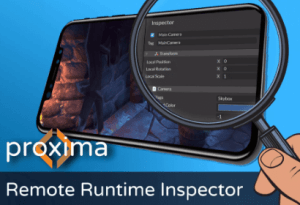
Proxima lets you connect to your live game from a web browser to inspect and edit any property. No more waiting for long build times just to try different parameters. No more endlessly logging property values.
For more details about this asset: Click Here
This is a paid asset, but now you can download the “Proxima Runtime Inspector + Console” for FREE. Please keep in mind that this package is provided only for learning purposes or to test before buying the product, NOT FOR COMMERCIAL PURPOSES.
Proxima Runtime Inspector + Console v1.5.0 (26 Mar 2025) (Latest version)
Proxima Runtime Inspector + Console v1.4.0
Proxima Runtime Inspector + Console v1.3.1
“Sharing is caring”
Your game doesn’t have to be a black box. Proxima lets you inspect, debug, and control your game from any web browser.
Description
Website | Demo | Documentation | Discord
The Power of the Unity Inspector in your Browser
Update 1.4: Now you can view and edit materials and scriptable objects attached to your components!
Designed for your Scenario
Debugging and iterating mobile and VR builds
QA testing and data capture
User research studies
Live game demos at conferences and expos
Effortless Integration
Just add the Proxima Inspector component to your scene and select a few configuration options. You don’t have to change anything else.
How it Works
Proxima hosts a web server in your application. When enabled, Proxima will display the URL to enter into your browser to connect to and instantly start inspecting.
Low Overhead: Proxima only scans your game for changes when viewing the inspector page. These scans are amortized so they take a minimum amount time each frame.
Secure: Connect to your game over HTTPS and protect your access with a password.
=============== FEATURES ===============
INSPECTOR
View AND edit your gameObjects, components, and properties.
Create duplicate, reparent, and delete gameObjects in the Hierarchy
View and edit a gameObject’s name, layer, tag, and active state
View and edit component properties, including serialized structs, classes, lists, and arrays
View and edit materials attached to components
View and edit scriptable objects attached to components
Add and remove components
View asset and object references
Add buttons to invoke methods on your components
Supports additive scenes and changing scenes
LOGS
View logs live or offline just like the Unity Console
Live log stream that you can pause and resume
See full log with call stack (if enabled). Rich text supported!
Collapse similar logs
Filter by error, warning, info
Filter by search query
Download your logs for offline viewing using the Proxima web app
CONSOLE
Control your game with a powerful command line interface
Tab auto-completion, command history, and help commands
Powerful built-in commands to:
List gameObjects and components.
Read and edit gameObject and component properties
Read and edit statics such as time scale, physics constants, and screen resolution.
Instantiate prefab resources.
Move, rotate, scale, enable/disable, and destroy gameObjects.
Add and remove components.
Change or add scenes.
Write custom commands easily by adding the [ProximaCommand] attribute to a static method
Run a list of commands using a “Run Script” button.
TESTED PLATFORMS
Windows Standalone
Universal Windows Platform
MacOS Standalone
iOS
Android (including Quest VR)
WebGL
Proxima Inspector uses WebSocketSharp and HttpDateParse under MIT License; see Third-Party Notices.txt file in package for details
Technical details
C# Scripts Included.
Supported Unity Versions: 2019.4 or higher.