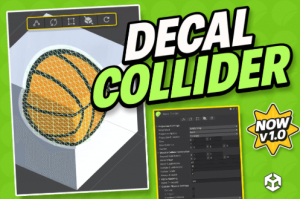
Decal Collider – one-click mesh & physics for decals, alpha-trimmed, runtime API, all render pipelines.
For more details about this asset: Click Here
This is a paid asset, but now you can download the “Decal Collider” for FREE. Please note that this package is provided solely for learning purposes or to test the product before purchase, and not for commercial use.
DECAL COLLIDER – Ultimate Runtime Mesh & Collision Decals v1.1.4 (Latest version)
Decal Collider v1.1.2
“Sharing is caring”
Description
???? Decal Collider takes the pain out of decal physics!
Generate perfect, alpha-trimmed visual meshes and matching MeshColliders in a single click. No more invisible gaps or oversized hitboxes. Just drop it into any render pipeline and start projecting.
✨ Key Features
????️ One-Click Build – Select the Decal → hit Rebuild → done.
???? Pixel-Perfect Colliders – Colliders are trimmed to your decal’s alpha, so players only hit what they see.
???? 18 Projection Directions – Forward, inverse, box, hemisphere & more.
⚙️ Live Scene Handles – Move, rotate, and adjust depth and mesh offset directly in the Scene view.
???? Runtime API – Full C# API (with XML documentation) for procedural decals, analytics, and pooling.
⏳ Stats Panel – Instantly see the triangle count, ray count, build time, and memory usage.
♻️ Undo-Safe & Prefab-Friendly – Works in Edit & Play mode, fully supports Prefabs.
????️ Zero Runtime GC – Optimized for mobile.
???? Built-in, URP, HDRP – Tested with Unity 2022.3 LTS+.
???? What’s Inside?
⚙️ Core DecalCollider component (runtime & editor scripts)
????️ Editor Tools: custom inspector, gizmos, beam visualiser
???? Demo Scenes: stickers of important world locations and a world map
???? PDF & Online Documentation + quick-start guide
???? Sample Textures (CC0)
???? Integration
Import the package.
Select any object in your scene and add the DecalCollider component via the “Add Component” button in the Inspector panel.
Click ‘Rebuild’ – the collider & visual mesh are generated instantly.
(Optional) Control everything at runtime via DecalCollider.Build(), RebuildSafe(), or the fluent API.
???? Requirements
Unity 2022.3 LTS+
Render Pipelines: Built-in, URP, HDRP
Need help or have a feature request? Join our Discord
Thank you for checking out Decal Collider – happy projecting! ????
Technical details
???? Technical Details
Compatibility
???? Unity – 2022.3 LTS or newer (Mono & IL2CPP)
???? Render Pipelines – Built-in, URP (forward & deferred), HDRP (2021.3+)
???? Platforms – Windows (DX11/12), macOS (Metal), Linux, Android (GLES3/Vulkan), iOS (Metal), WebGL 2.0
Physics & Mesh
???? Pixel-Perfect Colliders – Triangle trimming matches alpha mask exactly
???? Convex / Non-Convex – Toggle per decal for dynamic or static objects
???? 18 Projection Modes – Forward, reverse, double-sided, box volume, hemisphere, custom normal
Editor Tooling
✋ Live Handles – Move, rotate, offset & thickness directly in Scene view
???? Custom Inspector – Foldout groups: Projection, Mesh, Physics, Alpha Mask, Layers
♻️ Undo / Redo Safe – Full history tracking, prefab overrides preserved
???? Stats Overlay – Triangles, ray count, build time, memory in real time
API & Extensibility
???? Pure C# Source – ~1 900 LOC, fully namespaced, no external plugins
???? Key Calls – Build(), RebuildSafe(), BuildAsync(), fluent setters for chaining
???? Events – OnBuildStarted, OnBuildFinished, OnAlphaSample for analytics