Dev Asset Collection

All Things That You Need to Build A Video Game
Menu
  • 2D
    • Characters
    • Environments
    • Fonts
    • GUI
    • Textures & Materials
  • 3D
    • Animations
    • Characters
    • Environments
    • GUI
    • Props
    • Vegetation
    • Vehicles
  • Add-Ons
    • Machine Learning
    • Services
  • Audio
    • Ambient
    • Music
    • Sound FX
  • Essentials
    • Tutorial Projects
  • Templates
    • Packs
    • Systems
    • Tutorials
  • Tools
    • AI
    • Animation
    • Audio
    • Camera
    • Game Toolkits
    • GUI
    • Input Management
    • Integration
    • Level Design
    • Localization
    • Modeling
    • Network
    • Painting
    • Particles & Effects
    • Physics
    • Sprite Management
    • Terrain
    • Utilities
    • Version Control
    • Video
    • Visual Scripting
  • VFX
    • Particles
    • Shaders
Home
VFX
Shaders
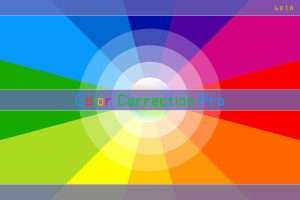
Color Correction Pro – Dev Community

Color Correction Pro – Dev Community

Tsunami 23 July, 2021
Sending
User Rating 0 (0 votes)

For more detail this asset from the Unity Asset Store: Click Here

Color Correction Pro v0.9

Download Now

“Sharing is caring”

“Color Correction Pro” is designed for more professional adjustment of camera effects in your projects; for Computer, Console, Mobile Games; and easy to use.
“Color Correction Pro” compatible with Cinemachine.

Download demoscene | Forum thread

“Color Correction Pro” allows you to customize:
▪ Hue, saturation, lightness, brightness, contrast, gamma
▪ Sharpness, temperature, threshold
▪ Color balance
▪ RGB channels, in the form of curves
▪ Input and output levels
▪ Photo filter
▪ LUT filter
▪ Ramp filter

In the “LUTs” and “Ramps” directories, there are textures for the LUT and Ramp filters.
28 LUT textures and 20 Ramp textures.

LUT’s includes:
▪ Autumn, Winter, Spring, Summer
▪ Arctic, Ice, Tropical, Green Field
▪ Sunny Day, Sunrise, Sunset, Moon Night
▪ Cyber, Modern, Dream, Nostalgic, Serenity, Lemon, Swamp
▪ Post War, Red Zone, Sci Fi, Wild West
▪ Pencil, Grayscale, Black And White
▪ Old Photo, Retro

To use “Color Correction Pro”, drag and drop “ColorCorrectionPro.cs” script to a camera or click “Add Component” -> “Image Effects” -> “Color Adjustments” -> “Color Correction Pro”.



Prev Article
Next Article

Related Articles

Lowpoly Substances – Dev Community
Tsunami 25 March, 2025

Lowpoly Substances – Dev Community

Retro Look Pro – Dev Community
Tsunami 7 May, 2023

Retro Look Pro – Dev Community

PSXEffects – Dev Community
Tsunami 1 January, 2021

PSXEffects – Dev Community

Toony Colors Pro 2 – Dev Community
Tsunami 12 May, 2026

Toony Colors Pro 2 – Dev Community

Leave a Reply Cancel Reply

Recent Posts

  • Legs Animator – Dev Community
  • Look Animator – Dev Community
  • Love/Hate – Dev Community
  • FPS Engine – Dev Community
  • Dog Chaos – Complete Mobile Game Template – Dev Community

Dev Asset Collection

All Things That You Need to Build A Video Game
Copyright © 2026 Dev Asset Collection
Privacy Policy | Disclaimer | DMCA