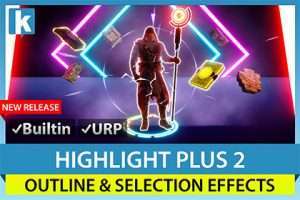
Highlight Plus 2 is the ultimate highlighting solution for Unity. Add outline, glow, overlay, see-through and other effects to objects and characters in your scene with ease and flexibility.
For more details about this asset: Click Here
This package is provided solely for evaluation, learning, or testing purposes before purchase and is not permitted for commercial use.
Highlight Plus 2 – All in One Outline & Selection Effects v34.3
Highlight Plus 2 – All in One Outline & Selection Effects v34.2.2
Highlight Plus 2 – All in One Outline & Selection Effects v34.1
Highlight Plus 2 – All in One Outline & Selection Effects v32.6.1
Highlight Plus 2 – All in One Outline & Selection Effects v30.0.1
“Sharing is caring”
Description
Compatible with Unity 6!
Highlight Plus 2 is the definitive asset for adding stunning outline, glow, overlay, see-through, and other highlight effects to objects, characters, and sprites in your Unity scenes. Engineered for performance and cross-platform compatibility, it’s the perfect choice for developers seeking high-quality visual enhancements that are easy to implement and highly customizable.
** What’s New in Highlight Plus 2? **
Discover the latest features and improvements: What’s New Guide.
Try it live: Web Demo.
** Powerful Visual Effects **
Combine multiple effects on single or multiple objects using a single, efficient script:
Outline: Four quality levels with mesh-based instanced rendering and optimized screen-space options. Customize color, alpha, width, gradient, padding, and visibility (normal, always in front, or behind).
Outer Glow: Per-object bloom and aura effects with four quality levels, customizable visibility, noise/dither, animation, and blending.
Inner/Rim Glow: Adjustable color, width, intensity, and blend modes for vibrant effects.
Overlay: Apply color or textured overlays with flexible UV mapping, alpha, animation speed, and custom blending.
Target: Add aiming indicators or special markers to specific parts of any GameObject, with customizable textures, procedural shaders, and styles like antialiased frames, crosses, or corners.
Area of Effect: Ground-aligned animated graphics under objects or characters, perfect for decals.
See-Through: Reveal occluded objects or characters with customizable intensity, tint, alpha, and optional colored borders, preserving correct depth.
Icon: Display floating or bouncing icons above highlighted objects with gradient and rotation options.
Label: Show dynamic information, like object names, next to highlighted targets.
Hit/Flash Effect: Three variations with customizable color, intensity, and fade-out duration.
** Key Features **
Instant Preview: Test effects directly in the Unity Editor without entering Play Mode.
Flexible Control: Highlight individual objects, groups, or use automatic mode with layer-based triggering.
Trigger Options: Activate via volumes, Highlight Managers, or C# scripting.
Performance Optimized: Avoids full-screen image effects and preserves object materials, shaders, and meshes.
Versatile Compatibility: Supports 3D objects, skinned meshes, LOD groups, sprite renderers, and both orthographic and perspective cameras.
Advanced Features: Includes fade in/out, camera distance fade, reusable profiles, ordered see-through, and multi-object selection with Highlight Manager.
Safe and Scalable: Excludes specific submeshes and works seamlessly with multiple cameras and Unity’s Render Graph.
Compatible with Unity 2021, 2022, and Unity 6.
** Components and Usage **
Highlight Plus 2 is versatile and easy to integrate:
Single Component: Attach to any object, character, or sprite for full control via Inspector or C#.
Highlight Managers: Automate effects with Highlight Trigger or manage multiple objects with Highlight Manager.
Comprehensive API: Full C# source code included for advanced customization.
** Related Assets **
Included in the Ultimate Bundle.
For sprite-only highlighting, check out Highlight Plus 2D.
** Upgrade to Highlight Plus 2 **
Highlight Plus 2 is the foundation for future enhancements, while the original Highlight Plus enters maintenance mode with only occasional fixes. Existing Highlight Plus users can upgrade now at a significant discount!
Technical details
** Platform compatibility **
– Supports Unity 2021, 2022 and Unity 6.
– Supports built-in pipeline, URP and Render Graph.
– Compatible with Mac, Windows, Android, iOS, WebGL, PS4.
– Compatible with VR (tested with Quest 2).
– Super fast on mobile.
Note: Highlight Plus is designed to work with mesh, sprite and skinned mesh renderers (3D objects, characters, sprites and 2D quads). UI is not supported.