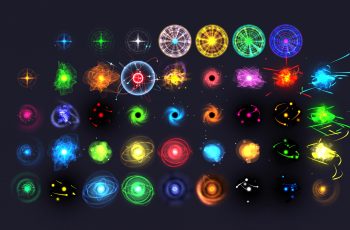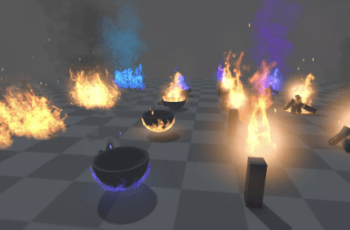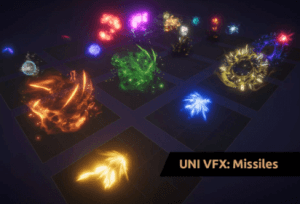
Ordinary VFX explosions are boring. Where are mighty shockwaves or wicked skulls? If you’re looking for spectacular explosions and missiles that create them, this is the right pack for you.
For more details about this asset: Click Here
This is a paid asset, but now you can download the “UNI VFX: Missiles & Explosions for Visual Effect Graph” for FREE, Please keep in mind this package is provided only for learning purposes or to be able to test before buying the product, NOT FOR COMMERCIAL PURPOSES.
UNI VFX: Missiles & Explosions for Visual Effect Graph v1.0
“Sharing is caring”
🪄 UNI VFX
UNIversal visual effects for Unity URP and HDRP
Uses highly performant GPU particle systems made in Visual Effect Graph.
Super easily customisable VFX without the need to ever enter the Visual Effect Graph Editor.
Uses (VFX) Events – one Game Object stores multiple effects which can be triggered via C# or Visual Scripting.
A total of 32 Events (not including ‘stop’ events). Full content breakdown in the ‘Technical details’ below.
❓ What are (VFX) Events?
Think of the Sweeping Wave effect, for example. It has these events/effects: create, loop, hit, end and stop. In this case, you start with the ‘create’ event, which then automatically continues with the ‘loop’ event. Each time the Wave hits an enemy you send the ‘hit’ event that displays the corresponding effect. When the Wave expires, send an ‘end’ event that plays the final effect and stops the ‘loop’.
✔️ Let’s have a look at the details:
Important properties are exposed so you can change color, spawn rate, opacity etc. directly in the Inspector.
Uses HDR colors – in combination with Bloom (Post Processing Effect), you have full control over the glow amount.
You can freely change effects’ transform to get the desired size.
Where appropriate, world-space is used so moving objects leave trails and particles behind.
Has optimized meshes to reduce overdraw.
Utilizes custom uber effect shader made in Shader Graph.
1k textures with few exceptions used for tiny elements like sparks, embers etc.
Works with Orthographic projection.
⚙️ Requirements
Requires Unity 2020.3 or newer with Visual Effect Graph and Shader Graph. Install those via Package Manager before installing this Pack. If you just installed them, restart the editor before installing the VFX pack.
Works in URP and HDRP. Visual Effect Graph has limited compatibility with mobile devices (including WebGL platform).
If the VFX doesn’t show up, it needs to be recompiled. This can be easily fixed by opening the VFX assets in UNI VFX\Missiles & Explosions\Visual Effects. When opened in the Visual Effects Graph, the assets are forced to recompile. This should be fixed in Unity 2022.3.6 and newer.
Please don’t forget to rate this asset and write a review! It helps me improve a lot. I really want these packs to be the best they can be.
Technical details
All screenshots and videos were taken in URP. HDRP has been adapted.
List of all effects and events:
Orb – buildup, create, loop, hit, stop
Razor Missile – create, loop, hit, stop
Sweeping Wave – create, loop, hit, end, stop
Comet – create, loop, hit, stop
Lightning Spear – buildup, create, loop, hit, stop
Onslaught – buildup, hit, stop
Crushing Pull – create, loop, hit, stop
Outburst – create, loop, hit, stop
Mark of Death – create, loop, hit, stop
Strafe – create, loop, hit, stop
The ‘Stop’ event stops the generation of new particles without abruptly removing existing ones. There are two prefabs per effect with different appereance.
13 meshes optimized for VFX.
22 unique textures. 20 of them have 1024px width. Smaller textures are used for tiny elements like sparks, embers etc.