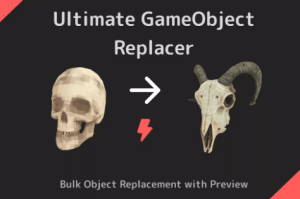
Easily replace your GameObjects in your scene with new prefabs. Supports bulk replacement with a range of powerful replacement options to suit your needs.
For more details about this asset: Click Here
This package is provided solely for evaluation, learning, or testing purposes before purchase and is not permitted for commercial use.
Ultimate GameObject Replacer – Level Design Tool v1.0
“If possible, please buy the package to support the developer”
Description
Boost your Unity workflow with this powerful Editor tool! Effortlessly replace scene objects with prefabs—select, preview, and apply in moments.
How It Works:
Select objects to replace.
Pick your new prefab.
Preview the results.
Apply changes to the scene.
Key Features:
Auto Preview: Experiment with multiple prefabs to find the best match. Select your prefab from the Project Window and automatically preview the changes.
Super Intuitive: Clean UI, Easy to Use. Tooltips for every field.
Bulk Replacement: Replace multiple GameObjects with prefabs in one operation.
Powerful Options: Keep Name, Scale, Rotation, Static Flags, Parent, Layer, or Tag. Adjust replacement position with offsets.
Advanced Settings: Multiple rotation, scale, and offset modes.
Scene & Prefabs Objects: You can use both Scene Objects or Prefabs to replace your objects
Native Undo Support: Works with Unity’s native undo system if any mistake happens.
Live Transforms Preview: Preview transform changes live — scale, Rotation and Offset. Super intuitive to use.
Easy Select: Multiple ways to choose objects, including quick selection of all prefabs sharing the same asset reference.
Scale, Rotate, Move: Use Scene View Controls to easily adjust your replacements in batch mode.
Prefabs Supported: Replace objects directly in the prefab asset.
Randomization: Many options for randomizing scale, rotation and offset.
Works With 2D Applications: Provide features to keep the original order in layer.
Demo assets not included
This is an Editor-Only Tool
Technical details
Supports any render pipeline.
Editor Only Tool.