For more details about this asset: Click Here
This is a paid asset, but now you can download uCodeEditor for FREE, Please keep in mind this package is provided only for learning purposes or to be able to test before buying the product, NOT FOR COMMERCIAL PURPOSES.
uCodeEditor v1.2.4
uCodeEditor v1.0.3b
“Sharing is caring”
Note: This asset only supports Unity 5.2 – Unity 2019. Because the Webview (CEF) which this asset depend on will be removed in Unity 2020, this asset does not support Unity 2020 temporarily.
Videos | Documents | Forum | Email
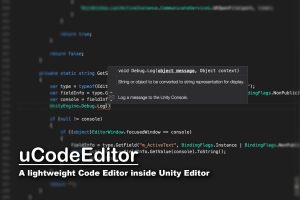
uCodeEditor is a lightweight code editor inside Unity Editor. It supports C# and Shaderlab with great editing features, including Syntax Highlighting, Code Complete, Auto Format etc.
uCodeEditor is built on Monaco Editor, which is the code editor powers Visual Stuido Code, you may get similar coding experiences in uCodeEditor compared with VSCode.
Requirements:
■ macOS: Mono >= 5.20
■ Windows: OS should be Windows 7 or later
Main Features:
■ Supports C# with many editing features powered by Omnisharp
■ Supports Shaderlab with all language features of ShaderlabVSCode
■ Markdown syntax highlighting and preview
■ Supports syntax highlighting for xml, c, c++, lua, python, object-c, swift, java, css and html
■ Coding improvements for Unity, like code snippets for Unity magic methods.
■ Supports shortcuts and color themes customization
■ Supports code minimap and code indent guides
■ Supports multiple windows
C# Supports:
■ Syntax Highlighting
■ Code Completion
■ Code Actions
■ CodeLens
■ Hover Information
■ Document Symbols
■ Signature Help
■ Formatting
■ Go To Definition
■ Find References
■ Rename
■ Diagnostics
■ Code Snippets
■ Xml Document Comments
Shaderlab Supports:
■ Syntax Highlighting
■ Code Completion
■ Hover Information
■ Document Symbols
■ Signature Help
■ Code Snippets