Touch Camera PRO is a really easy to use mobile+desktop camera controller with perspective switching! It is used inside other plugins like Home Designer, Runtime Level Editor and Floor Map Designer!
For more details about this asset: Click Here
This is a paid asset, but now you can download the “Touch Camera PRO 2024 – Easy Mobile & Desktop Camera Controller” for FREE. Please keep in mind that this package is provided only for learning purposes or to test before buying the product, NOT FOR COMMERCIAL PURPOSES.
Touch Camera PRO 2024 – Easy Mobile/Desktop/Console Camera Controller v3.1.5 (Latest version)
Touch Camera PRO 2024 – Easy Mobile & Desktop Camera Controller v3.1.2
“Sharing is caring”
A really easy to use mobile+desktop camera controller with perspective switching!
Working on both desktop and mobile devices!
One clean camera prefab, no nested hierarchy
Many configuration variables
Support translation, rotation around center, rotation around point, Zoom In/Out
Support multi fingers “Twist” and “Pinch” around fingers center
Support scene bounderies
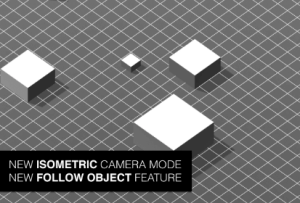
5 perspective modes are available : 3D Perspective, Top Down Orthographic, Isometric Orthographic, Side Scroll, Free Mode
Smooth transition between perspective modes at any time!
Full C# included, and commented
20 Demo scenes included
Focus on object / Follow object feature
Move To (position, [rotation], [distance])
Reset Camera to initial position & rotation
You can now choose between square and circle boundaries
Change ground height easily
Free Camera mode (beta)
New API methods and documentation
New inertia options
New: now supports Cinemachine!
New: now supports controllers through the new Input System!
DOCUMENTATION
Online manual
API documentation
DEMOS
Download PC & Android Demos
SUPPORT FORUM
https://support.exoa.fr
OTHER PLUGINS
Home Designer
Floor Map Designer
HOME DESIGNER BUNDLE
Level Designer
Assets Manager Pro
Packages Manager Free
Tutorial Engine
Responsive UI Pro
FPS Free
Touch Camera Pro
Touch Camera Lite
Super Hexagone Full Game
Re-Pair Full Game