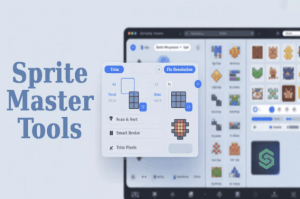
Optimize your 2D sprites in seconds. This all-in-one toolkit streamlines sprite cleanup, compression, and project organization — with simple, purpose-built tools that just work.
For more details about this asset: Click Here
This is a paid asset, but now you can download the “Sprite Master Tools – 2D Optimization Kit” for FREE. Please note that this package is provided solely for learning purposes or to test the product before purchase, and not for commercial use.
Sprite Master Tools – 2D Optimization Kit v1.1 (15 Sep 2025) (Latest version)
“Sharing is caring”
Description
????️ What’s Inside
???? Resolution Fixer
Automatically resizes sprites to power-of-two or 4-divisible dimensions. Avoid compression issues and ensure consistent rendering.
✂️ Sprite Trimmer
Remove transparent padding from around sprites to reduce file size and tighten collision bounds.
???? Power-of-Two Padding
Add safe transparent padding around sprites to reach the nearest power-of-two size — perfect for atlases and compression formats.
???? Simple Sprite Atlas Generator
Group multiple sprites into a clean Unity-compatible atlas to reduce draw calls and improve runtime performance.
➡️ New: Add sprites to an existing atlas without recreating it.
???? Sprite Renamer
Batch rename sprites using custom prefixes and auto-numbering for clean, consistent asset organization.
???? Sprite Size Explorer
Scan any folder or the full project to view sprite pixel dimensions, memory usage, and file size — sorted and searchable.
???? Presets Support
Save and load your tool settings as presets for faster, repeatable workflows across projects.
???? Why Use This Toolkit?
Save hours of manual sprite editing
Reduce texture memory usage
Keep your sprite library clean and organized
Optimize for mobile and low-end hardware
Perfect for artists, developers, and tech leads
???? How to Use
Open the tool via Tools > Sprite Master Tools
Select a tool tab (e.g., Trimmer, Renamer, Explorer)
Use Folder Mode for batch editing — or drag & drop sprites manually
Adjust your settings and click Run
Unity auto-refreshes your updated sprites (non-destructive)
✅ Clean, Focused, Reliable
No bloat. No complex setup. Just the essential tools you need to clean up and optimize your sprites — fast.


