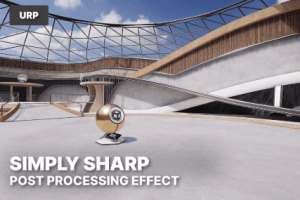
Easy-to-use URP sharpening post-processing effect. Enhance details and achieve crisper-looking visuals for your games.
For more details about this asset: Click Here
This is a paid asset, but now you can download the “Simply Sharp – Post-processing Sharpening for URP” for FREE. Please note that this package is provided solely for learning purposes or to test the product before purchase, and not for commercial use.
Simply Sharp – Post-processing Sharpening for URP v1.0 (13 Jul 2025)
“Sharing is caring”
Description
Simply Sharp is an easy to use post-processing effect designed specifically for Unity’s Universal Render Pipeline (URP). Easily integrate powerful, customizable sharpening into your scenes to bring out fine details, enhance image quality, and add a professional polish to your visuals.
✨ Key Features
Native URP Integration
Implemented as a Renderer Feature and driven by Render Graph, ensuring seamless, optimized integration with your URP projects. Simply add it to your URP Renderer, and you’re ready to go!
Volume Component Control
Adjust sharpening parameters directly within your Post-Processing Volumes for intuitive, scene-specific adjustments and easy blending.
Unsharp Masking Algorithm
Utilizes the industry-standard Unsharp Masking technique, a highly effective and visually pleasing method for enhancing edge contrast and bringing out latent detail without introducing harsh artifacts.
High-Quality Kawase Blur
Employs a performant and visually smooth Kawase blur for the underlying blur pass, ensuring excellent results as part of the unsharp masking process.
Contrast Threshold
Prevent over-sharpening in low-contrast areas and minimize noise amplification. Set a minimum contrast level to ensure sharpening is applied only where it truly enhances details, not noise.
Intensity Slider
Precisely control the strength of the sharpening effect, allowing for subtle enhancements or more pronounced, crisp visuals.
Artist-Friendly Workflow
Quick to set up and easy to tweak, making it an invaluable tool for artists and developers looking to add that final layer of visual fidelity.
Technical details
Simply Sharp has been exclusively designed for Unity 6 or higher and the Universal Render Pipeline. It has been implemented as a URP Renderer Feature, using Unity’s new Render Graph system. The effect is fully compatible with Unity’s Volume system and can be controlled using a post-processing override.
Requirements
Unity 6 or higher
Universal Render Pipeline (URP)
Features
Fullscreen post-processing sharpening effect
Integrated as a URP Renderer Feature
Volume override with adjustable threshold and intensity
Efficient implementation using kawase blur and unsharp masking
Designed for real-time performance
The screenshots were taken by adding Simply Sharp to Unity’s official URP Sample project. We compared performance on our test system with sharpening enabled and disabled to demonstrate real-world impact.