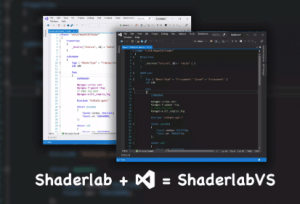
ShaderlabVS Pro is a Visual Studio extension for Unity Shaderlab programming, with features that Syntax Highlighting, Code Completion, Auto Format, Go To Definition, SRP supports etc
For more details about this asset: Click Here
This is a paid asset, but now you can download the “ShaderlabVS Pro” for FREE. Please keep in mind that this package is provided only for learning purposes or to test before buying the product, NOT FOR COMMERCIAL PURPOSES.
ShaderlabVS Pro v1.4.0
“Sharing is caring”
Description
ShaderlabVS Pro is a Visual Studio extension for Unity shaderlab programming. It is paid version of ShaderlabVS which we made and open source since the year 2014. Compared with ShaderlabVS, it has more features and better performance.
Documents | Forum | Email
Main Features:
• Syntax highlighting
• Hover information
• Code Completion
• Doc Comment
• Format Document and Selection
• Singnature Help
• Go To Definition
• Navigate To
• Supports SRP
• Code Snippets
• Supports Dark theme
Supports Visual Studio Version:
• Visual Studio 2019
• Visual Studio 2022
Supports Platforms:
• Windows
Installation
Get .vsxi file under path Assets/ShaderlabVS/VSPlugin
Double click the .vsxi file, a Visual Studio extension install window will pop up
Click Install button on install the window
After install successfully, restart Visual Studio
Auto Format
Format Document
via menu Editor -> Advanced -> Format Document
Format Selection
via Menu Editor -> Advanced -> Format Selection
Format On Save
Enable it by set Tools -> Options -> Text Editors -> Shaderlab -> Formatting -> Auto Format On Save to true
Place Open Brace On New Line
We can set brace formatting style in Tools -> Options -> Text Editors -> Shaderlab -> Formatting page.