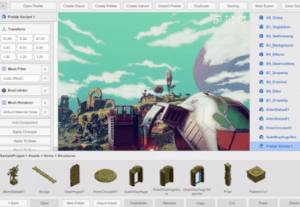
Runtime Asset Database is a library designed to simplify the implementation of a runtime save and load subsystem in your Unity application. This library replicates and extends the familiar concepts of prefabs, prefab variants, and assets found within the Unity Editor.
For more details this asset from the Unity Asset Store: Click Here
This is a paid asset, but now you can download the “Runtime Asset Database” for FREE, Please keep in mind this package is provided only for learning purposes or to be able to test before buying the product, NOT FOR COMMERCIAL PURPOSES.
Runtime Asset Database v1.5.3 (Latest version)
Runtime Asset Database v1.5.1 (18 Dec 2024)
Runtime Asset Database v1.5.0 (06 Dec 2024)
Runtime Asset Database v1.4.5 (24 Aug, 2024)
Runtime Asset Database v1.4.3 (Jul 21, 2024)
Runtime Asset Database v1.2.2 (Jun 11, 2024)
Runtime Asset Database v1.2.0
Runtime Asset Database v1.1.5
Runtime Asset Database v1.1.4
“If possible, please buy the package to support the developer”
Runtime Asset Database simplifies runtime save/load implementation in Unity, replicating Unity Editor’s prefab concepts for runtime asset management.
Unity developers often rely on the convenience and flexibility of the Editor’s asset management system when designing their games. However, when it comes to implementing a save and load system at runtime, this process can become more complex. The Runtime Asset Database bridges this gap by bringing the essential asset management functionalities you’re accustomed to into the runtime environment.
Folder
A folder simply refers to a directory on disk within the Runtime Asset Database project directory.
Asset
An asset is any object derived from UnityEngine.Object that can be serialized and deserialized. It is represented by three files on disk: the meta file, data file, and thumbnail. Assets fall into two categories:
Instantiable Assets: These assets are analogous to prefabs in the Unity Editor. They can be instantiated and used directly in your project.
Non-instantiable Assets: Examples of non-instantiable assets include materials and meshes.
Additionally, there is the concept of a Root Asset and a regular Asset.
Root Asset: A GameObject is an example of a Root Asset.
Asset: Components or meshes are examples of regular Assets. Their data is embedded in the same data file as the Root Asset.
Asset Variant
An Asset Variant is the equivalent of a Prefab Variant in the Unity Editor. It can only be created from an Instantiable Asset. Asset Variants become valuable when you need to define a set of predetermined variations of an Asset.
External Asset
An External Asset is an asset imported into the project using a specific importer, such as Addressable importers, importer that load asset from the Resources folder, GLB importer, or any other third-party importer. External Assets are read-only and contain only identifiers for parts within the data file. If you need to make edits to an External Asset, you can create an Asset Variant of it.
Instance
You can only instantiate an Asset, Asset Variant, or External Asset. The runtime asset database maintains mappings between instance parts and their corresponding asset parts
Dirty Instance
A “dirty” instance is one that has been marked to notify the runtime asset database that a change has occurred within an instance of an Asset Variant. This change needs to be saved to disk. When you load the Asset Variant next time, the asset database will read and apply this change to the base asset
Detached Instance
A detached instance is an instance that has no connection to the actual asset it originated from. You can convert an existing instance into a detached instance using the DetachAsync method, which will be discussed in more detail below.
Features:
♥ Runtime Asset Management API.
♥ Built on Unity Editor Prefab Concepts.
♥ Asset and Asset Variant Support.
♥ Extensibility with new types and components.
♥ Pluggable External Asset Importers.
♥ Addressables Support.