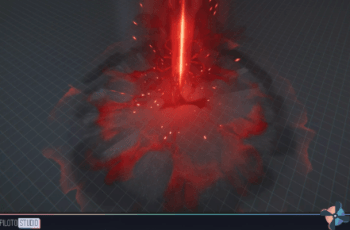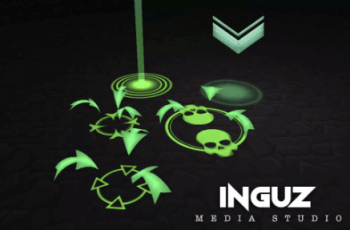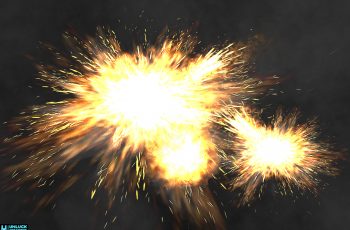
Retro Arsenal is the ultimate VFX collection for pixel art games, offering over 1000 prefabs and 250 unique VFX, enhancing your game with vibrant visuals and select sound effects.
For more details about this asset: Click Here
This is a paid asset, but now you can download the “Retro Arsenal” for FREE. Please note that this package is provided solely for learning purposes or to test the product before purchase, and not for commercial use.
Retro Arsenal v1.0.5
“If possible, please buy the package to support the developer”
Description
This asset works best with bloom enabled in pixel art or low-resolution textured games.
Make your game more exciting with magic spells, projectiles, sword slashes, explosions, and impact effects from Retro Arsenal. Also included are glowing fireflies, as well as fire, smoke, and weather effects to add more ambience to your world.
The prefabs are sorted into three main categories for ease of use. The range of effects is suitable for genres such as RPGs, shooters, platformers, racing, and adventure games.
Each unique effect can have multiple color variants, different elemental types, or other variations.
Features
Over 250 unique VFX
1055 total prefabs
Most FX available in 4-6 colors
Some FX available in elemental themes
70+ pixel art flipbooks combined into texture atlases
150 sound FX
30+ materials
Custom shaders
Interactive demo project
Extra integrations
Check out Projectile Factory for an easy-to-use, yet versatile integration for the missile effects in Retro Arsenal. It simplifies customization and gets the effects game-ready quickly!
Technical details
The asset was created in the Built-in Render Pipeline (3D) but comes with an 3D URP Upgrade package included. Also includes an experimental upgrade for Universal 2D.
The particles use a mix of Unity’s standard particle shaders and custom shaders made with Amplify Shader Editor.
The pack relies on Bloom post-processing effects. Make sure to install the Post Processing package from the Package Manager if you are in Built-in Render Pipeline to view the VFX in their best form, and to avoid missing component errors.
Effects Summary
The effects are sorted into three major categories (Combat / Environment / Interactive), each with sub-categories such as ‘Barrage’. Each type of effect in these sub-categories usually have different color variants, styles, elemental themes and behaviors (looping/one-shot).
E.g., the Barrage effect has five types: ‘Arrow’, ‘Shuriken’, ‘Bullet’, ‘Fireball’, and ‘Stone’ barrage. Some of these have different color variants as well. Effects with color variants usually have blue, green, purple, red, and yellow.
All showcased missile effects come with matching muzzleflash and explosion effects, as well as sound effects.
Combat Effects
Barrage (5 types)
Beams (2 types)
Damage (3 types)
Death (2 types)
Explosions (26 types)
Explosions (Onomatopoeia/Text) (27 types)
Fighting (12 types)
Flamethrower (1 type)
Magic (7 types)
Missiles (23 types)
Muzzleflash (20 types)
Nova (2 types)
Orbital (2 types)
Regenerate (1 type)
Stun (2 types)
Sword (5 types)
Environment Effects
Bubbles (4 types)
Dust (1 type)
Fire (7 types)
Fireworks (2 types)
Flowers (5 types)
Insects (4 types)
Leaves (2 types)
Lightning (2 types)
Liquid (7 types)
Music (3 types)
Smoke (6 types)
Sparks (3 types)
Sparkle (6 types)
Stones (5 types)
Weather (6 types)
Interactive Effects
Balloons (2 types)
Beamup (2 types)
Confetti (5 types)
Emojis (40 types)
Jet (3 types)
Loot (7 types)
Mining (2 types)
Money (3 types)
Mouseclick (4 types)
Movement (3 types)
Portal (1 type)
Powerbox (15 types)
Regenerate (1 type)
Rings (6 types)
Speedboost (4 types)
Status Icons (7 types)
Symbols (5 types)
Tornado (3 types)
Zone (7 types)
Shaders
Shaders are made with Amplify Shader Editor. Most shaders increase Emission of the texture and have an option to Tint directly in the shader. Most of them are, however, hooked up to Vertex Color, so that each effect can have color animations directly in the Shuriken Particle System.
Beam: Scrolls a beam texture
BeamDouble: Scrolls two beam textures
Disintegrate: Uses alpha erosion to ‘disintegrate’ textures/sprites
Powerbox: This is for the powerup boxes. Makes it easy to swap with your own powerup icons and background images. You can customize colors of everything easily and adjust emission. The shader also have settings to rotate and bob the powerup box.
RetroGlow: A simple texture that increases emission of the effect texture/spritesheets
Target: Similar to powerup box, but is for a shootable target used in the demo
TextGlow: Pans a glow/shine-type texture over the text effects
Textures
There is a total of 39 textures:
5 main atlases
18 general textures, some used for shaders and minor effects
16 individual powerup icon textures
Many effects in this pack use one or a few of the 5 main spritesheet atlases (sized from 256×512 to 512×512), thus limiting the need for multiple singular textures.
Since many of the textures are animated by hand, Texture Sheet Animation is used for many effects, making it more complicated to change the sprite or texture for each particle system.