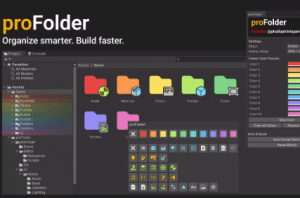
proFolder is a fully customizable editor extension that enhances folder organization in the Unity Project window.
For more details about this asset: Click Here
This is a paid asset, but now you can download the “proTools – Colorful Folder” for FREE. Please note that this package is provided solely for learning purposes or to test the product before purchase, and not for commercial use.
proTools – Colorful Folder v1.2 (12 Jul 2025) (Latest version)
“Sharing is caring”
Description
proFolder is a fully customizable editor extension that enhances folder organization in the Unity Project window.
It’s genre-agnostic and works with any type of Unity project. You can assign preset colors, choose from a variety of folder icons, or let the tool auto-assign icons based on folder content.
All visuals are customizable to fit your personal or team workflow.
Organize your project with colored folders, custom icons, and smart auto-assign marks.
Technical details
???? Folder Coloring: Assign preset colors to folders for better visual organization.
????️ Folder Icons: Add icons to folders for quick identification.
⚙️ Auto Icon Assignment: Automatically detects folder content (e.g., scripts, textures, prefabs) and assigns matching icons.
???? Customizable: Easily extend or replace color and icon sets to match your style.
???? Non-destructive: Works entirely in the Editor without modifying actual folder structure or files.
???? Lightweight & Fast: Minimal performance impact, designed for large projects.
☁️ Persistent Settings: Uses JSON-based saving for easy version control and team sharing.
???? Editor Integration: Seamlessly integrated into the Unity Project window with alt-click context menus.