Dev Asset Collection

All Things That You Need to Build A Video Game
Menu
  • 2D
    • Characters
    • Environments
    • Fonts
    • GUI
    • Textures & Materials
  • 3D
    • Animations
    • Characters
    • Environments
    • GUI
    • Props
    • Vegetation
    • Vehicles
  • Add-Ons
    • Machine Learning
    • Services
  • Audio
    • Ambient
    • Music
    • Sound FX
  • Essentials
    • Tutorial Projects
  • Templates
    • Packs
    • Systems
    • Tutorials
  • Tools
    • AI
    • Animation
    • Audio
    • Camera
    • Game Toolkits
    • GUI
    • Input Management
    • Integration
    • Level Design
    • Localization
    • Modeling
    • Network
    • Painting
    • Particles & Effects
    • Physics
    • Sprite Management
    • Terrain
    • Utilities
    • Version Control
    • Video
    • Visual Scripting
  • VFX
    • Particles
    • Shaders
Home
Tools
Utilities
Peek and Bookmark – Editor Toolkit – Dev Community

Peek and Bookmark – Editor Toolkit – Dev Community

Tsunami 7 February, 2025
Sending
User Rating 0 (0 votes)

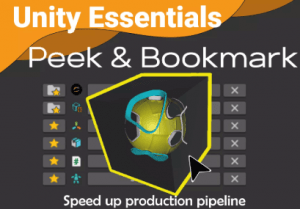
Peek, bookmark and browse previously selected objects. Greatly speed up your unity workflow!

For more detail this asset from the Unity Asset Store: Click Here

Peek and Bookmark – Editor Toolkit v1.6

VIP Only

“Sharing is caring”

– Enhance unity workflow by keeping track of files / assets / gameObject previously selected, even from play mode to editor mode, and even after closing & reopenning unity!

– Bookmark anything, in a simple clic. Keep your most important scripts & scenes quicly avaible to you!

– Bookmark gameObjects in play or edit mode. They are saved even when you change scene or after reloading project. A MUST HAVE when you are working with multi-scenes!

– Bookmarked gameObjects not present in the current scene can be reached in one clic! (it will open the scene where the gameObject is, and select it).

– Keep track of deleted gameObjects (if an undo is applied, link is kept).

– Inteligent Outline: It’s an intelligent click, that select object on mouse click based on visual, and not by order. This means that even if you have 10 objects in front of your Orange button, if you see your Orange button, click on it, and you’re done !

– Ultra Fast Selection of gameObjects Hidden behind others. Again, a MUST HAVE for overlapping UI!

– Everything is customisable in project settings.

– C# scripts avaible
– Clean code using nameSpace
– Nothing to do, just download and enjoy

Prev Article
Next Article

Related Articles

Advanced Builder – Dev Community
Tsunami 31 July, 2020

Advanced Builder – Dev Community

Clothing Culler – Dev Community
Tsunami 5 October, 2024

Clothing Culler – Dev Community

vTabs 2 – Dev Community
Tsunami 24 March, 2026

vTabs 2 – Dev Community

Real Size: Measure and Resize with Real World Units – Dev Community
Tsunami 9 May, 2023

Real Size: Measure and Resize with Real World Units – Dev Community

Leave a Reply Cancel Reply

Recent Posts

  • Guardians Bundle I – Free Download
  • QUBIC – Modular Builder – Free Download
  • Toon Farm Pack – Dev Community
  • Motion Titles Pack – Dev Community
  • Realistic Water VFX – URP – Free Download

Dev Asset Collection

All Things That You Need to Build A Video Game
Copyright © 2026 Dev Asset Collection
Privacy Policy | Disclaimer | DMCA