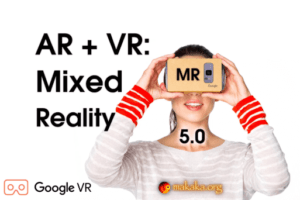
AR + VR: Mixed Reality (MR) Camera uses Google Cardboard XR Plugin (formerly Google VR SDK) to display 2D/3D objects as though they were in the real world mixing Virtual Reality and Augmented Reality.
For more details about this asset: Click Here
This is a paid asset, but now you can download the “Mobile Mixed Reality – Pseudo AR & VR with Google Cardboard XR Plugin” for FREE. Please note that this package is provided solely for learning purposes or to test the product before purchase, and not for commercial use.
Mobile Mixed Reality – Pseudo AR & VR with Google Cardboard XR Plugin v4.0
“Sharing is caring”
Description
AR + VR: Mixed Reality (MR) Camera uses Google Cardboard XR Plugin (formerly Google VR SDK) to display 2D or 3D objects as though they were in the real world mixing Virtual Reality and Pseudo Augmented Reality.
[ Documentation | Support Forum | Map of Assets ]
It’s Unity MR Camera for 90% of all Mobile Devices. Mixed Reality adds virtual elements to the physical world and surrounds you with game objects, being in full immersion with a VR Headset.
👉 Features
Bring the enchanting Power of Mixed Reality into your amazing Game or App:
Cross-platform Mobile MR Camera: iOS, Android.
3-minute installation for your own AR + VR Scene.
Covering a wide range of mobile devices.
Google Cardboard XR Plugin to implement Virtual Reality.
No using of other AR Engines like AR Foundation, ARCore, ARKit, Vuforia, etc.
Optimized Gaze-based Reticle Pointer based on TextMesh Pro:
2 Non-Animated States.
VR Mode On/Off During Scene Switching: only the Demo Scene runs in VR.
Real-Time AR Shadows.
Editor Testing (Non-VR).
🍏 Package Contains
Demo Scene: Interaction with Objects in Mixed Reality (VR + AR).
Menu Scene.
Permission Scene with Camera Permission Request using free Native Camera.
Loading Screen to switch scenes seamlessly.
Camera Feed on Background.
✨ Limitations
Hardware and Software Requirements are restricted by Requirements of Google Cardboard XR Plugin.
Camera Rotation and Camera Movement are controlled only with the Google Cardboard XR Plugin.
UI Buttons on World Space Canvases must have Box Collider.
Mobile VR Headset must have a camera hole.
📚 Docs & Support
I state the work of the asset only with uploaded Unity version or with the version indicated in the latest online docs that contain all instructions for the 1st launch.
If you find a bug, or you can’t use the asset as you need, please first get the support before leaving a review on the asset store.
Technical details
[ Documentation | Support Forum | Map of Assets ]
Tested with Mobile Platforms:
iOS on iPhone 15;
Android on Samsung Galaxy A71.