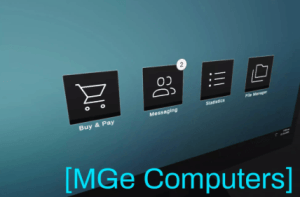
Interactable Computers is a lightweight, modular system that adds fully interactive in-game computers to your game.
For more details about this asset: Click Here
This package is provided solely for evaluation, learning, or testing purposes before purchase and is not permitted for commercial use.
Interactable Computers v1.0
“If possible, please buy the package to support the developer”
Description
Interactable Computers is a modular framework for adding fully interactive in-game computers to your game – complete with keyboard, mouse, and gamepad support out of the box.
Apps are built on Unity’s uGUI system, so if you’ve built UI in Unity before, you already know how to build apps. Modal support is included.
There are 4 demo apps to get started 🌟
Shopping App
Items are added easily via ScriptableObjects
Categorized item browser
Checkout process
Supports balance
Displays the cart item count as a notification badge
File Manager App
Fully customizable folder/file hierarchy
Supports text, image, video and audio playback modals out of the box
Messaging App
Messages list & large message display
Messages include: subject, text, receiver, sender, sender avatar and time
Message read indicator
Statistics App
Displays a 3-column table with data
Every app exposes a runtime API and C# events so you can hook into them from your own game logic with minimal effort.
Want to go further? You can extend any existing app or build your own from scratch using the same framework.
Interactable Computers is designed for fast prototyping and rapid app building. Ready-to-use boilerplate apps can be generated with the press of a button, letting you focus entirely on designing your app – no need to worry about screen interaction or app management, it all works out of the box.
Basic C# knowledge is recommended for custom development.
Suitable for immersive sims, horror, UI-based games and many more 💻
The framework is equally well-suited for building smartphones and tablets – its core handles screen interaction and the app layer in a way that can be used far beyond computer screens alone.
The system uses a virtual cursor for the screen navigation, so you can hook it up to any input method of your choice 🕹️
Technical details
The UI is based on Unity’s uGUI and it uses a World-Space canvas
The package supports the legacy and the new input system with mouse + keyboard & gamepad support using a virtual cursor
Fully documented code and a user manual included
The included demo camera script is not optimal for transitions – Cinemachine is recommended
There is no player controller included