Dev Asset Collection

All Things That You Need to Build A Video Game
Menu
  • 2D
    • Characters
    • Environments
    • Fonts
    • GUI
    • Textures & Materials
  • 3D
    • Animations
    • Characters
    • Environments
    • GUI
    • Props
    • Vegetation
    • Vehicles
  • Add-Ons
    • Machine Learning
    • Services
  • Audio
    • Ambient
    • Music
    • Sound FX
  • Essentials
    • Tutorial Projects
  • Templates
    • Packs
    • Systems
    • Tutorials
  • Tools
    • AI
    • Animation
    • Audio
    • Camera
    • Game Toolkits
    • GUI
    • Input Management
    • Integration
    • Level Design
    • Localization
    • Modeling
    • Network
    • Painting
    • Particles & Effects
    • Physics
    • Sprite Management
    • Terrain
    • Utilities
    • Version Control
    • Video
    • Visual Scripting
  • VFX
    • Particles
    • Shaders
Home
Tools
Utilities
Easy Collider Editor – Dev Community

Easy Collider Editor – Dev Community

Tsunami 23 March, 2026
Sending
User Rating 3.15 (13 votes)

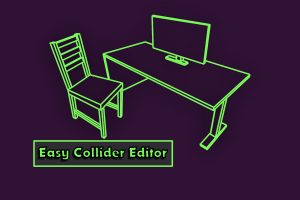
Create colliders for all your assets quickly and easily with vertex selection, generate convex mesh colliders with VHACD, and auto-generate colliders for skinned meshes.

[/v0lcano]

Easy Collider Editor v6.20.1 (21 Mar 2026) (Latest version)

VIP Only

Easy Collider Editor v6.20.0 (23 Jan 2026)

VIP Only

Easy Collider Editor v6.19.0 (21 Dec 2025)

VIP Only

Easy Collider Editor v6.18.7 (18 Nov 2025)

VIP Only

Easy Collider Editor v6.18.6 (23 Sep 2025)

VIP Only

Easy Collider Editor v6.18.4 (27 Jun 2025)

Faster Download Download Now

“Sharing is caring”

Easy Collider Editor is designed to make creating and positioning box, sphere, capsule, and convex mesh colliders as easy as possible.

This tool lets you quickly and easily add multiple colliders on gameobjects using simple and easy to use vertex selection tools. No more painfully adding, moving, and resizing colliders. A helpful preview option is now available that makes the process even easier.

Simply select vertices or points on the mesh, click a button, and a box, capsule, sphere, rotated box, rotated capsule, or convex mesh collider will be generated.

Selection of vertices is even easier with the newly added box selection, ring selection, point selection, and grow selection tools.

The latest update also makes it easy to automatically generate colliders for a skinned mesh.
 

Prev Article
Next Article

Related Articles

GameNote++ – Dev Community
Tsunami 5 August, 2020

GameNote++ – Dev Community

Impostor Graph – Dev Community
Tsunami 19 January, 2026

Impostor Graph – Dev Community

Performance Tools – Dev Community
Tsunami 16 November, 2025

Performance Tools – Dev Community

vRuler – Dev Community
Tsunami 9 August, 2024

vRuler – Dev Community

Leave a Reply Cancel Reply

Recent Posts

  • Dog Chaos – Complete Mobile Game Template – Dev Community
  • Legendary Caves & Dungeons – Dev Community
  • MIGHTY TRACKING – Dev Community
  • Enemy Shooter AI for Playmaker – Dev Community
  • Garage Props Collection HQ – Dev Community

Dev Asset Collection

All Things That You Need to Build A Video Game
Copyright © 2026 Dev Asset Collection
Privacy Policy | Disclaimer | DMCA