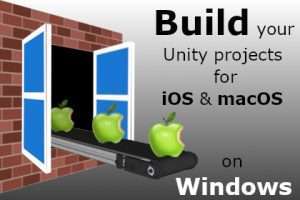
Build, deploy and publish for iOS/macOS on Windows (replaces Xcode). Shortens your workflow dramatically. Faster and more affordable than cloud build!
For more details about this asset: Click Here
This package is provided solely for evaluation, learning, or testing purposes before purchase and is not permitted for commercial use.
Build for iOS/macOS on Windows v3.78 (14 May 2025) (Latest version)
“Sharing is caring”
Description
[ compatible with all versions of Unity – from Unity 4 to current Unity 6.2 ]
Continuously updated since 2014! Latest changelog here – updates here – full documentation ???? here ????
Build, Codesign, Deploy and Publish your iOS/macOS projects on Windows.
No longer need to switch to your Mac and fire up Xcode to build your games for iOS. Save time and build them directly from Windows. Save money you’d otherwise spend on cloud builds.
This build tool builds your app in a similar way that Xcode does, and immediately serves it for OTA (over the air) deployment to your device, and/or packages it for the App Store. Build and test your app instantly on any live iOS device connected to your network!
NEW: macOS is also supported. Your macOS projects are built directly into an .app bundle (optionally codesigned) or a .dmg file that can be sent right away to macOS users for testing.
Advanced users can build from the command line and plug this builder with Jenkins or any other CI build pipeline to have apps created from their iOS/macOS builds automatically – on Windows.
Debug tools
The Remote Debug Console receives all your application logs and displays them live on your computer’s screen, while your app is running on your device. Stack dumps are caught on the fly and immediately displayed when it crashes!
Can also upload to the App Store
An IPA resigner and upload tool sends your freshly built app to Apple to publish it either in the App Store or for TestFlight. As with the rest of this toolchain, under the GUI hood are command-line tools that can all be scripted in your own CI/CD build chain.
This is a real project builder. No jailbreak needed!
Simply reuse your digital signing identity from the Apple Developer Program (or create a new one). If your device is jailbroken, it’s even simpler: in this case, no signing identity is required.
Prerequisites:
1. A recent, up-to-date copy of Microsoft Windows (10, 11)
2. One-time access to macOS to migrate the Apple SDKs so as to complete the setup (simply follow the instructions – assistant scripts are provided).
Technical details
LLVM/Clang Objective-C/C++ ARM64 cross-compiler, Swift compiler, ld64 Mach-O linker, Darwin binary utilities, assets compiler for iOS, Mach-O code signer, packager, OTA deployment tool, remote debug console, App Store uploader, as well as SDK/signing identity migration assistant scripts and a builder GUI to tie all this together.