Dev Asset Collection

All Things That You Need to Build A Video Game
Menu
  • 2D
    • Characters
    • Environments
    • Fonts
    • GUI
    • Textures & Materials
  • 3D
    • Animations
    • Characters
    • Environments
    • GUI
    • Props
    • Vegetation
    • Vehicles
  • Add-Ons
    • Machine Learning
    • Services
  • Audio
    • Ambient
    • Music
    • Sound FX
  • Essentials
    • Tutorial Projects
  • Templates
    • Packs
    • Systems
    • Tutorials
  • Tools
    • AI
    • Animation
    • Audio
    • Camera
    • Game Toolkits
    • GUI
    • Input Management
    • Integration
    • Level Design
    • Localization
    • Modeling
    • Network
    • Painting
    • Particles & Effects
    • Physics
    • Sprite Management
    • Terrain
    • Utilities
    • Version Control
    • Video
    • Visual Scripting
  • VFX
    • Particles
    • Shaders
Home
Tools
Modeling
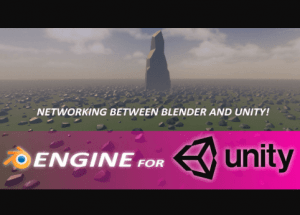
Blender Engine For Unity – Free Download

Blender Engine For Unity – Free Download

Tsunami 6 July, 2025
Sending
User Rating 2.33 (3 votes)

BEngine for Unity is a tool which allows to generate meshes and instances procedurally. Setting up Geometry Nodes and putting a blend file into Unity, it allows us to create amazing generations for games.

For more details about this asset from the Superhivemarket, please visit: Click Here

This is a paid asset, but now you can download the “Blender For Unity” for FREE. Please note that this package is provided solely for learning purposes or to test the product before purchase, and not for commercial use.

BEngine For Unity v1.1

VIP Only

“If possible, please buy the package to support the developer”

Features:

Procedural meshes generation
Geometry Nodes support
Sverchok Nodes support
Unity Terrain support
Unity Curve (Spline and Polyline) support
Networking between Blender and Unity.
Procedural instances generation (be_instance attribute)
Unity Materials support (be_material attribute)
UVs support (uv_map, uv_map2, uv_map3 … uv_map8 attributes)
Vertex Colors support (be_color attribute)
Custom Normals support (be_normal attribute)
Inputs support inside of Unity UI (Tabs, Foldouts, Separators, Labels, Objects, Floats, Integers, Strings, Textures, Collections)

BEngine Component Setup
Create your Geometry Nodes in Blender. Save your blend file in the Assets folder somewhere.
Create an empty GameObject and add the BEngine Component.
Drag’n’drop your blend file into “Blend File” container.
Set up Geometry Nodes Name as in Blender.
Press the Update Nodes button. A new json file will be created next to the blend file. It will contain Geometry Nodes Inputs values. Please don’t delete the json file. Also you can tweak UI Inputs now.

BEngine for Unity supports following Inputs:

Float
Integer
String
Vector
Boolean
Object
Collection
Color
Material
Get paid unity asset for free
Prev Article
Next Article

Related Articles

Simple LOD – Free Download
Tsunami 3 September, 2020

Simple LOD – Free Download

FPS Mesh Tool – Free Download
Tsunami 16 November, 2024

FPS Mesh Tool – Free Download

PowerLines – Free Download
Tsunami 13 May, 2022

PowerLines – Free Download

Ferr SuperCube – Free Download
Tsunami 8 January, 2021

Ferr SuperCube – Free Download

Leave a Reply Cancel Reply

Recent Posts

  • COALA – Free Download
  • OneJS – Free Download
  • Real World Terrain – Free Download
  • FluXY – 2.5D fluid simulator – Free Download
  • Enemy Golem – Free Download

Dev Asset Collection

All Things That You Need to Build A Video Game
Copyright © 2026 Dev Asset Collection
Privacy Policy | Disclaimer | DMCA