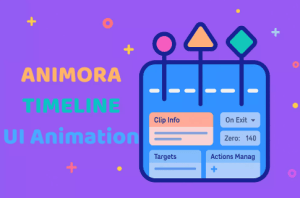
Animora is a powerful, extendable UI animation timeline tool for Unity. Create smooth, code-driven animations with tweens, clips, and actions — optimized for performance and easy to use.
For more details about this asset: Click Here
This package is provided solely for evaluation, learning, or testing purposes before purchase and is not permitted for commercial use.
Animora UI Animation (Tweening Timeline) v1.5 (Latest version)
“If possible, please buy the package to support the developer”
Description
Animora – Ultimate UI Animation Timeline for Unity
Animora is a powerful, flexible, and performance-focused timeline animation tool built specifically for Unity UI — but extendable for any animation need.
Forget clunky keyframing systems. Animora uses clips, actions, and tweens to animate your UI (or anything else) with full control, fast iteration, and zero runtime overhead after playback.
💡 Why Animora?
🎯 UI-First, Not UI-Limited – Built to make UI animations effortless, but flexible enough for transforms, cameras, TMP, and more.
⚙️ Code-Driven Animations – Animate with precision using tweens and clean logic instead of complex curves or keyframes.
⚡ Highly Performant – Only active while the animation is playing. No per-frame updates or wasted overhead.
🧱 Modular & Extendable – Create your own clips and actions with just a few lines of code.
🧪 Editor Preview – Test your animations directly in the Editor without entering Play Mode.
🧰 Key Features
✅ Visual Timeline Editor
✅ Built-in easing and interpolation system
✅ Supports looping, ping-pong, and reverse animations
✅ Play on Start / Enable / Manually
✅ Powerful Unity Events system (Start, Loop, Complete, etc.)
✅ Clip-based system with full inspector control
✅ Randomized values, actions per state, debug flags
✅ Built-in modules: UI, Camera, TMP, Transform, Canvas, Core logic
✅ Full source code included
🗂️ Included Modules
UI: Anchor, Pivot, Offset, Fill Screen, Slide To Screen
Transform: Position, Rotation, Scale
TMP: Font Color, Size, Spacing
Graphic: Fill Amount, Image Color
Camera: FOV, Color, Ortho Size
Core: SetActive, Nested Player, Duration, Start Time
🎓 Easy to Use, Yet Deep
Get started in minutes by dragging AnimoraPlayer into your scene, adding clips, and hitting play. Dive deeper by writing your own clips, actions, or even building editor extensions — Animora is as deep as you want it to be.
📦 Perfect For
In-game UI animations (menus, HUDs, notifications)
Cutscenes and transitions
Polished app interfaces
Modular animation systems
Game jam-ready prototypes
Technical details
Tool Type: Timeline-based Animation System
Target Use: UI Animation (but works for any component)
Programming Language: C# (fully open source)
Supported Unity Versions: 2022.3+ (tested on latest LTS)
Editor GUI: Custom UI Toolkit-based timeline editor
Runtime Footprint: Zero overhead after animation completes
Architecture: Modular, scriptable, and highly extensible
Randomizable values and interpolation logicCore Systems:
Clip & Action architecture
Tweening & easing system
State machine, timer, and ticker utilities
Event system (with UnityEvents and debug flags)
Full source code Includes:
Dozens of built-in clips and actions (UI, Transform, TMP, Camera)
Runtime and Editor folders are separated cleanly
Demo scenes and example animations