Iterate faster on your AR projects without leaving Unity Editor. Save time and sanity developing AR apps. Precisely replicates the behavior of a real AR device in Editor. Extensively tested with both ARKit and ARCore.
For more details about this asset: Click Here
This is a paid asset, but now you can download the “AR Foundation Remote” for FREE. Please note that this package is provided solely for learning purposes or to test the product before purchase, and not for commercial use.
AR Foundation Remote v1.4.37-release.0
“If possible, please buy the package to support the developer”
Description
A new big update is available! Try AR Foundation Remote 2.0.
⌛ Time is money! Iterate faster on your AR projects without leaving Unity Editor. Save time and sanity developing AR apps.
In simple words: AR Foundation Remote = Unity Remote + AR Foundation support.
💡 Current workflow with AR Foundation 💡
1. Make a change to your AR project.
2. Build the project and run it on a real AR device.
3. Wait for the build to complete.
4. Wait a little bit more.
5. Test your app on a real device using only Debug.Log().
🔥 Improved workflow with AR Foundation Remote 🔥
1. Set up the AR Companion app once. The setup process takes less than a few minutes.
2. Just press play! Run and debug your AR app with full access to the scene hierarchy and all object properties right in the Editor!
💡 This plugin is licensed on a per-seat basis, meaning that one license is required for each developer in your team. More Info.
⚡ Features ⚡
• Precisely replicates the behavior of a real AR device in Editor.
• Extensively tested with both ARKit and ARCore.
• Plug-and-play: no additional scene setup is needed, just run your AR scene in Editor with AR Companion running (minor code change may be needed).
• Streams video from Editor to real AR device so you can see how your app looks on it without making a build (see Limitations).
• Multi-touch input remoting: stream multi-touch from an AR device or simulate touch using a mouse in Editor (see Limitations).
• Test Location Services (GPS), Gyroscope, and Compass right in the Editor.
• Written in pure C# with no third-party libraries. Full source code is available.
• Connect any AR Device to Windows PC or macOS via Wi-Fi: iOS + Windows PC, Android + macOS… any variation you can imagine!
• Compatible with ManoMotion SDK.
• Compatible with Wikitude SDK Expert Edition.
• Compatible with VisionLib SDK.
⚡ Supported AR subsystems ⚡
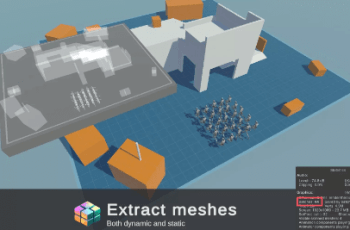
• Meshing (ARMeshManager): physical environment mesh generation, ARKit mesh classification support.
• Occlusion (AROcclusionManager): ARKit depth/stencil human segmentation, ARKit/ARCore environment occlusion (see Limitations).
• Face Tracking: face mesh, face pose, eye tracking, ARKit Blendshapes.
• Body Tracking: ARKit 2D/3D body tracking, scale estimation.
• Plane Tracking: horizontal and vertical plane detection, boundary vertices, raycast support.
• Image Tracking: supports a mutable image library and replacement of the image library at runtime.
• Depth Tracking (ARPointCloudManager): feature points, raycast support.
• Camera: camera background video (see Limitations), camera position and rotation, facing direction, camera configurations.
• CPU images: camera and occlusion CPU images support (see Limitations).
• Anchors (ARAnchorManager): add/remove anchors, attach anchors to detected planes.
• Session subsystem: Pause/Resume, receive Tracking State, set Tracking Mode.
• Light Estimation: Average Light Intensity, Brightness, and Color Temperature; Main Light Direction, Color, and Intensity; Exposure Duration and Offset; Ambient Spherical Harmonics.
• Raycast subsystem: perform world-based raycasts against detected planes, point clouds, and the depth map.
• Object Tracking: ARKit object detection after scanning with the scanning app (see Limitations).
• ARKit World Map: full support of ARWorldMap. Serialize the current world map, deserialize the saved world map, and apply it to the current session.
Technical details
💡 Requirements 💡
• Stable version of Unity 2019.4 or newer.
• AR Device (iPhone with ARKit support, Android with ARCore support, etc.).
• AR Device and Unity Editor should be on the same Wi-Fi network (a wired connection is supported with an additional setup).
• Verified version of AR Foundation 3.0.1 or newer.
👉 Limitations 👈
• Please check that your AR device supports the AR feature you want to test in Editor. For example, to test Meshing in Editor, your AR device should support Meshing.
• Video streaming and occlusion textures:
– Are supported with these Editor Graphics APIs: Direct3D11, Metal, and OpenGLCore.
– The framerate is around 15-20 FPS on high-end mobile devices. You can increase the framerate by decreasing the video resolution.
– Default video resolution scale is 0.33. You can increase the resolution in the plugin’s Settings, but this will result in higher latency and lower framerate.
• Touch input remoting and simulation:
– UI can respond to touch simulation and remoting only if the Game View window is focused.
– Only Input Manager is supported (UnityEngine.Input).
• ARKit Object Tracking:
– Adding a new object reference library requires a new build of the AR Companion app.
• CPU images:
– Only one XRCpuImage can be acquired at a time for each CPU image type.
– Only one XRCpuImage.ConvertAsync() conversion is supported at a time.