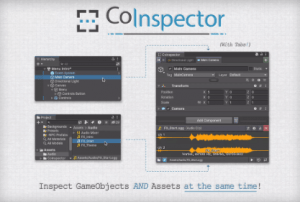
Split your Inspector into two independent sections to work on Assets AND GameObjects at the same time. With Tabs, History Tracking, Advanced Dragging, Scene Sessions… and more!
For more details about this asset: Click Here
This package is provided solely for evaluation, learning, or testing purposes before purchase and is not permitted for commercial use.
CoInspector | Inline Asset Inspection, Tabs & More! v1.7.5 (Latest version)
CoInspector | Inline Asset Inspection, Tabs & More! v1.7.0
CoInspector | Inline Asset Inspection & Tabs v1.0.4
“Sharing is caring”
Description
Ever wish you could inspect Assets without losing your selected GameObject?
Or to work on different targets without opening multiple Inspector Windows?
(N-no…? Well, then this might not be for you…)
━━━━━━━━━━━━━━━━━
• [????️Split GameObject/Asset Inspection ]
CoInspector splits the Inspector into two independent, resizable sections so you can work on Assets AND GameObjects at the same time, side-by-side.
No more switching windows, no more lost selections. GameObjects stay with GameObjects, and Assets stay with Assets. Simple!
—
• [ ????️ Tabs ]
As your favorite browser, CoInspector lets you manage multiple GameObject selections with Tabs. Each Tab is like an independent Inspector, with separate Debug/Lock modes and History Tracking.
(And switching Tabs won’t affect your active selection—unless you want it to!)
___________________
But, of course, there’s much more:
• [ ⏮️ Inspection History ]
Navigate back and forth through your recent inspections in any Tab, reopen closed Tabs or revisit previously inspected Assets.
(Plus, access your Last Clicked and Most Clicked GameObjects!)
—
• [ ???? Scene Sessions ]
Pick up right where you left off. CoInspector remembers your Tabs and history for each scene, letting you restore them the next time you open it.
(Quite handy after an editor restart or crash!)
—
• [ ????️ Customizable Asset Inspection ]
Make the Asset section work for you. Pick your desired level of detail, from a simple footer to a full-fledged Inspector with import settings.
(Also, hide sections, ignore folders, or disable Asset Inspection altogether!)
—
• [????️ Advanced Dragging ]
Move and clone components between Tabs, drag Tabs (or inspected Assets) into Editor fields, and even drag Assets as new Components*!
(*)Like an AudioSource from a Clip or an Animator from an Animator Controller.
—
• [ ✅ Compatible with Custom Editors and Inspector extensions ]
Works with all IMGUI Custom Editors and Inspector extensions out of the box, from simple tweaks to total overhauls like Odin Inspector.
???? Unity is transitioning to UI Toolkit, and so are we! Full UI Toolkit Editor compatibility is coming in the next major update.
⚠️ Injection-based extensions aren’t supported! While they may work fine, we can’t predict the issues they might trigger. If you encounter them, please try disabling the extension and let us know about it.
—
• [ ???? Even more QOL features ]
Middle-click GameObjects to open Tabs, Select/ping Tabs, improved multi-selection, instant switch to Unity Inspector, copy Asset paths, Collapse/Expand Components with a click, Local Hierarchy View… and still more!