Dev Asset Collection

All Things That You Need to Build A Video Game
Menu
  • 2D
    • Characters
    • Environments
    • Fonts
    • GUI
    • Textures & Materials
  • 3D
    • Animations
    • Characters
    • Environments
    • GUI
    • Props
    • Vegetation
    • Vehicles
  • Add-Ons
    • Machine Learning
    • Services
  • Audio
    • Ambient
    • Music
    • Sound FX
  • Essentials
    • Tutorial Projects
  • Templates
    • Packs
    • Systems
    • Tutorials
  • Tools
    • AI
    • Animation
    • Audio
    • Camera
    • Game Toolkits
    • GUI
    • Input Management
    • Integration
    • Level Design
    • Localization
    • Modeling
    • Network
    • Painting
    • Particles & Effects
    • Physics
    • Sprite Management
    • Terrain
    • Utilities
    • Version Control
    • Video
    • Visual Scripting
  • VFX
    • Particles
    • Shaders
Home
VFX
Shaders
Ultimate Outlines & Highlights – Dev Community

Ultimate Outlines & Highlights – Dev Community

Tsunami 2 October, 2024
Sending
User Rating 5 (2 votes)

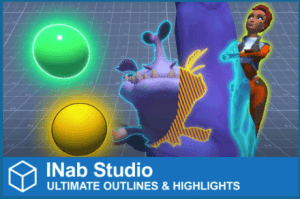
Take your game to the next level with this asset. It enables you to effortlessly add effects such as outlines, glows, overlays, and fresnel effects into any game object.

For more detail this asset from the Unity Asset Store: Click Here

Ultimate Outlines & Highlights v3.0 (Latest version)

Download Now

Ultimate Outlines & Highlights v2.4

Download Now

Ultimate Outlines & Highlights v2.3

Download Now

Ultimate Outlines & Highlights v2.2

Download Now

“Sharing is caring”

Take your game to the next level with this asset. It enables you to effortlessly add effects such as outlines, glows, overlays, and fresnel effects into any game object.

Make your in-game objects stand out, enhance gameplay, and infuse your game with an immersive feel. Select from a diverse range of options to fine-tune the appearance and make it uniquely yours.

✨Overview

Easily add custom selection highlighting to your models, whether they are simple or complex.

Choose from a wide range of options to tweak the appearance and make it your own.

Make your 3D and 2D objects stand out even more with effects like outline, glow, overlay, rim, and see-through.

⚡Main Features

Easy to use.
Extremely flexible.
Every feature can be customized per object and you can combine them in any way you like.
There are several fill effects included and you can create your own as well.
You can exclude specific submeshes.
Allows you to affect an individual or group of objects.
Supports sprites and cutout objects.
Optimized for mobile devices.
Allows you to preview the effect in the editor without entering play mode.
Works with both orthographic and perspective cameras.
Use it in both HDR and LDR environments.
Comes with integrated C# classes and coroutines to help you create various effects without additional assets.
Includes built-in trigger classes.
Example code and usage is provided to make it easy to integrate into your project.
Not supported:

URP 2D renderer.
Unity version below 2020.3
VR and WebGL
 

Prev Article
Next Article

Related Articles

Drag&Drop Volumes – Dev Community
Tsunami 17 January, 2026

Drag&Drop Volumes – Dev Community

Comic Book Shaders and Effects – Dev Community
Tsunami 26 June, 2024

Comic Book Shaders and Effects – Dev Community

Water Caustics Effect for URP v2 – Dev Community
Tsunami 15 October, 2025

Water Caustics Effect for URP v2 – Dev Community

Pro Car Paint Shader – Dev Community
Tsunami 24 August, 2022

Pro Car Paint Shader – Dev Community

Leave a Reply Cancel Reply

Recent Posts

  • Sweet Land – Low Poly 3D Models Pack – Free Download
  • Fantasy Enemies (Pack) – Free Download
  • Better Shaders for Unity 6.3 – Free Download
  • Modular Cyber Racing Cars – Low Poly 3D Models – Free Download
  • The Complete UI Sound Effects Library – Free Download

Dev Asset Collection

All Things That You Need to Build A Video Game
Copyright © 2026 Dev Asset Collection
Privacy Policy | Disclaimer | DMCA