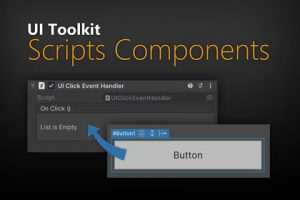
With this tool you can link game objects to UI elements. This allows you to add any script you want. Enables you to link script components to UI elements. No coding skills required.
For more details about this asset: Click Here
This is a paid asset, but now you can download the “UI Toolkit Script Components” for FREE. Please keep in mind that this package is provided only for learning purposes or to test before buying the product, NOT FOR COMMERCIAL PURPOSES.
UI Toolkit Script Components v1.3.0 (15 Apr 2026) (Latest version)
UI Toolkit Script Components v1.1.0
“Sharing is caring”
Description
Links: Manual
✨ This asset is part of the UI Toolkit Bundle. ✨
The problem:
You want to add scripts to UI Toolkit elements just like you used to do in UGUI?
The solution:
With this tool you can link game objects to UI elements. This allows you to add any script you want.
✔️ Super easy to use.
Click the element in the UI Builder. Right-Click the UIDocument in your scene and use the “UI Toolkit” context menu.
✔️ No conding skill required
You can do it all without writing any code.
✔️ Selection sync
Synchronizes you selection in the UI Builder with the Script objects.
✔️ Linking and Querying
Link one game object to one UI element or use a Query script to fetch multiple elements.
✔️ Full Source Code included!
I publish this asset with full source code because as a developer I know how annoying it is to not have source code access. If you like it then please remind others to purchase the plugin. Don’t just copy and paste it everywhere. Thank you ❤️
✔️ Supports Unity 2021.2+, 2022, 2023, Unity 6, … LTS
⚠️ Requires Unity 2021.2+
It requires Unity 2021.2.0f1 or newer. That’s because at that time Unity added the UI Toolkit for runtime use as a module. You may be able to use it in earliers releases too but you would have to install the com.unity.ui package which is no longer supported. I’d not recommend it and I do not support older Unity versions, sorry.
⚠️ Please name your elements
If you can then please add a unique name to each element that uses a script. It’s not strictly necessary but it helps, especially if you are editing the UI Hierarchy a lot (links are more stable and faster that way).
⚠️ UXML editing outside of UI Builder
If you are editing (renaming, moving) elements outside the UI Builder then you may have to check your Link and Query script objects. The editor does not know of your changes until the asset has been reloaded.
✍️ Usage
There is a manual. Please read it 😉
1) Open the UI Builder and the Hierarchy (like in the video)
2) Select the UI element you want to add a script to.
3) Right-Click on the gameobject with the UIDocument in the hierarchy and choose “UI Toolkit > Add or Select Script”.
4) Add whatever Component you want to the created game object.
???? HINT 1:
You can turn off the selection syncing via “Tools > UI Toolkit Scripts Components > Sync Selection”. By default the synchronization is disabled in PLAY mode. You can enable it in the settings.
???? HINT 2:
If you inspect the “Link to Visual Element” component then you will find some handy buttons for linking.
???? HINT 3:
If you are a coder and want to add your own components then inherit from “UIComponentBase<T>”. You can then assecc the linked & queried elements via the “Elements” property. Or you use the UIElementProvider component directly.
???? HINT 4:
Select the “Scripts” object in the inspector. It’s very hand for creating new links.
???? HINT 5:
Use Query components to effect more than just one object.