This is a paid asset, but now you can download UI Components for Game Creator for FREE, Please keep in mind this package is provided only for learning purposes or to be able to test before buying the product, NOT FOR COMMERCIAL PURPOSES.
For more details about this asset: Click Here
UI Components for Game Creator v1.7.4 (Latest version)
UI Components for Game Creator v1.6.1
UI Components for Game Creator v1.5.1
“Sharing is caring”
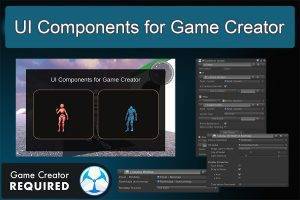
The UI Components for Game Creator Module is an add-on to the UI Actions for Game Creator. It contains:
⚡ Canvas Animations from Actions
⚡ Drag & Drop Minimap with Markers
⚡ Full screen Map configurable
⚡ Simple Navigation Compass
⚡ uGUI and TMP text Actions
⚡ Tooltips using Actions
⚡ In-Game System Information
⚡ 3D Models on a UI Canvas
⚡ Realtime Camera on a UI Canvas
⚡ Video on a UI Canvas
⚡ Character Selection Example
⚡ Compatiblity with Photon-Multiplayer
⚡ Clock and Timer Actions
⚡ and more…
All components are activated and controlled using Game Creator Actions, no coding is required.
These components can be used for inspecting 3D Models on a Canvas, Character selection, and MiniMap and FullMap creation with blinking markers and TextmeshPro Labels, and much more when you create 3D games using Game Creator. Four Main Menu templates are included, Comic Strip Canvas example, and a new Load and Save game functions.
With this Asset, you get:
⚡ 9 Major Categories
⚡ 9 Prefab GameObjects
⚡ 69 New GC Actions
⚡ 2 New GC Conditions
⚡ 1 New GC Component
⚡ 9 Detailed Example Scenes
Documentation and Tutorials can be found at docs.piveclabs.com.
These UI Components are an essential extension for Game Creator. They will not work without Game Creator being installed first.
Make your game complete using the UI Components Module
Other great Game Creator Modules from Pivec labs are:
⚡ Tools Module.
⚡ Action Pack 1.
⚡ Action Pack 2.
⚡ Action Pack 3.
⚡ Accessibility Module.
(Models and Video shown in demo are not included)
NOTICE:The UI Components Examples Module will OVERWRITE your Game Creator project files. The Examples in the Examples Module come with their own Variable Database and Prefabs. Open a new project to view the Examples.