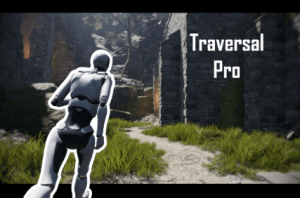
Traversal Pro is a sandbox-style, physics-based character controller that’s super easy to get working. Just right click in the Hierarchy, select “Traversal Pro / Third Person Player” and you’re done!
For more details about this asset: Click Here
This is a paid asset, but now you can download the “Traversal Pro: Physics-based Character Controller” for FREE. Please note that this package is provided solely for learning purposes or to test the product before purchase, and not for commercial use.
Traversal Pro: Physics-based Character Controller v0.1.13 (30 Jun 2025) (Latest version)
“Sharing is caring”
Description
Traversal Pro characters are upright capsule colliders with dynamic rigidbodies. Movement is completely physics-force-based so the character is not snapped or teleported to the ground each frame. This means its easy to add whatever physics forces you need for gameplay and a Traversal Pro character will react accordingly without any additional setup.
Any Rigidbodies in the scene, whether dynamic or kinematic, can act as platforms for Traversal Pro characters. When those objects move or rotate, characters on top of them will move and rotate automatically without any extra setup.
Features in Traversal Pro are implemented as individual components. They’re not implemented in one large, complex script. So, if you don’t need a particular feature then you can just remove that component. Also, dependencies between Traversal Pro components are mostly referenced via interfaces rather than concrete classes. This means you can easily swap out most Traversal Pro components with custom classes that implement the same interface.
To add a Traversal Pro player controller to your scene, simply right click in the Hierarchy window and select Traversal Pro / Third Person Player (or First Person Player). Keyboard, mouse, and Gamepad work out of the box!
Be sure to check out the fun Playground sample scene found under Package Manager > Traversal Pro > Samples. And come join the Discord server here https://discord.gg/Rkk5UzAXTr
Note: Traversal Pro depends on Cinemachine 3. It will automatically download for free when you import Traversal Pro.
Technical details
Features
Run
Jump (with custom grace times/coyote time)
Sprint (with camera field-of-view effect)
Air Control
Smoothly run up stairs without teleporting each step
Custom max slope
Slide down steep slopes
Realistic free-fall air resistance (quadratic drag)
Custom free fall terminal velocity
Custom gravity scaling per character/object
Optionally, camera rotates with ground rotation
Camera smooth-damping works even during free fall
Smooth character mesh rotation independent of camera rotation
Character mesh rotates with ground rotation
Procedural lean animation (leaning into turns when running)
Required free packages (automatically installs with Traversal Pro)
Input System
Cinemachine 3
Playground sample scene (URP only)
First Person/Third Person perspective switching setup
Pause Menu
Gravity lift
Dynamic Train
Dynamic floating building
Dynamic suspended plank bridges
Bumpy terrain
High-res ground textures
Custom made high poly tree with LODs
Foliage assets (from Unity Viking Village)
Foliage wind shader graph
Beautiful skybox
Post processing
“Gray boxing” prefabs with grid material usable in any scene