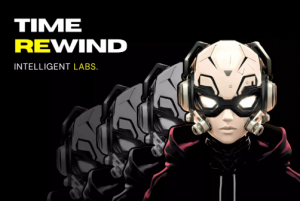
Super smooth dynamic rewind mechanics for your game, enabling objects to reverse their movements and rotations. With cinematic camera effects, this package can boost your gameplay experience.
For more details about this asset from the Unity Asset Store, please visit: Click Here
This is a paid asset, but now you can download the “Time Rewind” for FREE. Please note that this package is provided solely for learning purposes or to test the product before purchase, and not for commercial use.
Time Rewind v1.1.3 (09 Jan 2026) (Latest version)
Time Rewind v1.0.0 (25 Oct 2025)
“If possible, please buy the package to support the developer”
Description
REWIND ANYTHING. ANYTIME. ANYWHERE.
Take full control on the entire timeline of your scene or target for specific GameObjects to go back-in-time.
???? No Coding Required
The ultimate Unity Rewind Solution, all managed directly from the Inspector.
Key Features:
⏪ Smooth Scene Rewind
Rewind the entire scene of your gamen with smooth, natural transitions.
⏪ Selected Object/s Rewind
Rewind selected objects, providing flexibility to suit different game scenarios.
⏪ Playback Speed Control
Including 4 playback speeds: Slow Motion (50%), Normal Speed (100%), Fast (150%), and Sper Fast (200%).
⏪ Pause Scene After Rewind (Optional)
Pause the scene for a defined duration after rewinding is complete allowing players to prepare for the next action.
⏪ Key-Triggered Rewind
Trigger the rewind action by holding down a customizable key (default: “R”). Works also for controllers.
⏪ Smooth Camera Motion (Optional)
Cinematic, smooth camera motion following the assiened target game object during the rewind process.
⏪ Full Inspector Integration
Easily adjust parameters like record time, rewind duration, playback speed, and camera behavior directly in the Inspector.
⏪ Flexible Settings
Fully configurable through the Unity Inspector for easy setup and customization.
⏪ Seamless Integration
No need for additional setup. Just attach to your game objects and start using the features immediately.
⏪ Optimized for both Desktop & Mobile Games
Built with performance in mind, perfect for mobile game development.
FAQ ❓
How does the rewind system work?
The system records GameObject positions and states for a set duration. When triggered, it rewinds the data, restoring objects to their previous states.
Is it possible to rewind a single GameObject of the entire scene?
Yes, by adding specific GameObjects to the “Game Objects To Rewind” list, you can rewind only those objects.
What happens if I use the Camera Follow motion while rewinding my scene, as the camera is playing a part in the scene?
Enabling “Use CameraFollow?” ensures the camera smoothly follows the target during the rewind, maintaining consistent motion.
What is “Record Time” & “Stop Rewind After”, and how do they work together?
“Record Time” defines how long the system records GameObjects before starting the rewind, while “Stop Rewind After” controls the rewind duration.
Can I trigger rewind with a key press?
Yes, you can trigger rewind with a specified key (default is “R”). It works with keyboard, mouse, gamepad, or controller inputs.
Can I use this asset with 2D and 3D games?
Yes, “Time Rewind” works seamlessly in both 2D and 3D environments.
Comes with Easy Step-by-Step Documentation.
Technical details
Supported Unity Versions
Unity 2020.3 and above.
Unity 2022.x and LTS versions.
Unity 6
Platform Compatibility
Mobile: iOS / Android.
Desktop: Windows / macOS.
Consoles
VR
General
Integration: Easy Plug & Play setup.
Support: Includes detailed documentation and support from Intelligent Labs.