Dev Asset Collection

All Things That You Need to Build A Video Game
Menu
  • 2D
    • Characters
    • Environments
    • Fonts
    • GUI
    • Textures & Materials
  • 3D
    • Animations
    • Characters
    • Environments
    • GUI
    • Props
    • Vegetation
    • Vehicles
  • Add-Ons
    • Machine Learning
    • Services
  • Audio
    • Ambient
    • Music
    • Sound FX
  • Essentials
    • Tutorial Projects
  • Templates
    • Packs
    • Systems
    • Tutorials
  • Tools
    • AI
    • Animation
    • Audio
    • Camera
    • Game Toolkits
    • GUI
    • Input Management
    • Integration
    • Level Design
    • Localization
    • Modeling
    • Network
    • Painting
    • Particles & Effects
    • Physics
    • Sprite Management
    • Terrain
    • Utilities
    • Version Control
    • Video
    • Visual Scripting
  • VFX
    • Particles
    • Shaders
Home
Tools
Particles & Effects
Shuriken to Spritesheet – Free Download

Shuriken to Spritesheet – Free Download

Tsunami 13 August, 2020
Sending
User Rating 4 (1 vote)

For more detail this asset from the Unity Asset Store: Click Here

This is a paid asset, but now you can download Shuriken to Spritesheet for FREE, Please keep in mind this package is provided only for learning purposes or to be able to test before buying the product, NOT FOR COMMERCIAL PURPOSES.

Shuriken to Spritesheet v2.1.0

Download Now

“If possible, please buy the package to support the developer”

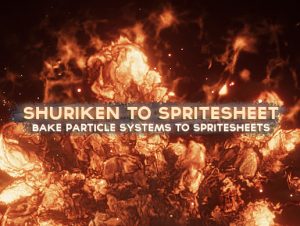
Easily convert your Shuriken particle systems into high-resolution spritesheets AND/OR single-texture sprites!

● Create NEW assets!
● Multi-select and nesting is supported.

× ❰❰ DOCUMENTATION ❱❱ ×

For previews, support, suggestions, and general discussion for this asset, check out the official Unity forum support thread!

× ❰❰ UNITY FORUM SUPPORT THREAD ❱❱ ×

Simply select your particle system(s) and a camera, setup the output resolution, frame sizes, and simulated duration, and that’s it!

NOTE: It’s important that to get perfect colour transparency your particles use alpha blended shaders.

Transparency with colours for particles with additive shaders can only be approximated using the built-in controls. If you’re using a particle system with just additive shaders, you can disable transparency to preserve colouring and use an additive shader with the output spritesheet. This will re-enable full transparency (black == 0.0).

Because you choose which camera to render with, you have the option to add in post-effects such as BLOOM, BLURRING, and MORE using any image effect!

● Suitable for both 2D and 3D effects.

If you’d like to see examples of how this tool has been used, please check out my particle system packages:

– Ultimate VFX
– Inferno VFX (FREE)


Get paid unity asset for free
Prev Article
Next Article

Related Articles

See Through – Free Download
Tsunami 17 August, 2020

See Through – Free Download

ProFlares – Ultimate Lens Flares for Unity3D – Free Download
Tsunami 7 July, 2022

ProFlares – Ultimate Lens Flares for Unity3D – Free Download

PIDI – Planar Reflections 5: Personal Edition – Free Download
Tsunami 13 August, 2025

PIDI – Planar Reflections 5: Personal Edition – Free Download

VolumeGrass – Free Download
Tsunami 29 July, 2020

VolumeGrass – Free Download

Leave a Reply Cancel Reply

Recent Posts

  • Block Jam | Template + Editor – Free Download
  • MK Slot Bundle – Ancient Civilizations Casino Template – Free Download
  • Resize Pro – Free Download
  • UI Toolkit Scroll View Pro – Infinite Scrolling, Snapping, Paging – Free Download
  • Cartoon FX 4 Remaster – Free Download

Dev Asset Collection

All Things That You Need to Build A Video Game
Copyright © 2025 Dev Asset Collection
Privacy Policy | Disclaimer | DMCA