Dev Asset Collection

All Things That You Need to Build A Video Game
Menu
  • 2D
    • Characters
    • Environments
    • Fonts
    • GUI
    • Textures & Materials
  • 3D
    • Animations
    • Characters
    • Environments
    • GUI
    • Props
    • Vegetation
    • Vehicles
  • Add-Ons
    • Machine Learning
    • Services
  • Audio
    • Ambient
    • Music
    • Sound FX
  • Essentials
    • Tutorial Projects
  • Templates
    • Packs
    • Systems
    • Tutorials
  • Tools
    • AI
    • Animation
    • Audio
    • Camera
    • Game Toolkits
    • GUI
    • Input Management
    • Integration
    • Level Design
    • Localization
    • Modeling
    • Network
    • Painting
    • Particles & Effects
    • Physics
    • Sprite Management
    • Terrain
    • Utilities
    • Version Control
    • Video
    • Visual Scripting
  • VFX
    • Particles
    • Shaders
Home
3D
GUI
Retro Horror Template – Quick Slots – Free Download

Retro Horror Template – Quick Slots – Free Download

Tsunami 11 August, 2026
Sending
User Rating 0 (0 votes)

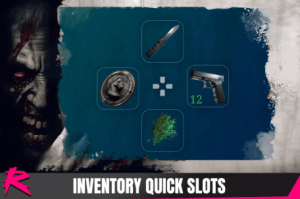
This pack includes a quick slot system to use/equip items outside of the inventory. It includes a sample scene and sample assets.

For more details about this asset: Click Here

This package is provided solely for evaluation, learning, or testing purposes before purchase and is not permitted for commercial use.

Retro Horror Template – Quick Slots v1.2 (Latest version)

VIP Only

“If possible, please buy the package to support the developer”

Description
This pack includes a quick slot system to use/equip items outside of the inventory. It includes a sample scene and sample assets.

This add-on requires the latest version of Retro Horror Template.

How to add QuickSlots to your project
Add QuickSlots to CustomUI in HECorePrefabs
It is recommended you have your own HECore asset for your game.

The addon contains a custom HECore called HECoreQuickSlots as a reference.

Add QuickSlotsAssigner prefab into UIInventory
For this, you need to add QuickSlotsAssigner prefab into the UIInventory prefab.

However, it is recommended you create your own inventory prefab variant (or any prefab included in the template you modify) to avoid losing changes when updating.

The addon contains a custom inventory prefab called UIInventoryWithQuickSlots as a reference.

Additionally, assign UIInventory and ContextMenu references on the QuickSlotAssigner component.

Remove DPad mappings from PlayerActions
Quick slots are triggered by using the DPad. This conflicts with DPad movement so it needs to be removed.

Prev Article

Related Articles

POLYGON – Icons Pack – Art by Synty – Free Download
Tsunami 12 July, 2026

POLYGON – Icons Pack – Art by Synty – Free Download

Battle Royale UI System – Free Download
Tsunami 13 June, 2026

Battle Royale UI System – Free Download

VR UI Package – Free Download
Tsunami 30 June, 2025

VR UI Package – Free Download

Minimalist Bar System – Free Download
Tsunami 26 March, 2025

Minimalist Bar System – Free Download

Leave a Reply Cancel Reply

Recent Posts

  • AVPro Movie Capture – Ultra Edition – Free Download
  • Text Decal: Dynamic, Surface-Aligned & Shaded – Free Download
  • RPG Fantasy Monster Bundle #9 – 4 Characters Fantasy RPG – Free Download
  • Sci-Fi Creatures Cloning Room – Free Download
  • Synaptic AI Essential – Natural Language Control for Unity – Free Download

Dev Asset Collection

All Things That You Need to Build A Video Game
Copyright © 2026 Dev Asset Collection
Privacy Policy | Disclaimer | DMCA