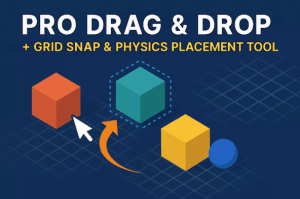
Drag, snap, and place objects in your Unity scene with physics accuracy, grid alignment, live ghost previews, and smooth rotation. Perfect for RTS, sandbox, builder, and level design tools.
For more details about this asset: Click Here
This is a paid asset, but now you can download the “Pro Drag & Drop + Grid Snap & Physics Placement Tool” for FREE. Please note that this package is provided solely for learning purposes or to test the product before purchase, and not for commercial use.
Pro Drag & Drop + Grid Snap & Physics Placement Tool v1.0
“Sharing is caring”
Description
Pro Drag & Drop:
A powerful object placement toolkit with grid snapping, physics-aware dragging, smooth rotation, ghost preview, and modular setup. Perfect for building games, editors, or sandbox environments in Unity. Fast to integrate, easy to use, and customizable.
❓ Why Choose Pro Drag & Drop?
???? Plug & Play – Minimal setup, ready to use
???? Ghost Preview – See exactly where objects will land
???? Snap to Grid – Precision placement on surfaces
???? Physics Aware – Respects walls & obstacles
???? Smooth Rotation – Scroll or keys, multi-axis
???? Mouse + Keyboard – Simple player controls
???? Modular Design – Easy to extend or modify
???? Fast & Lightweight – Optimized and performant
???? Clean Code – Well-organized & developer friendly
????️ Runtime Ready – Perfect for in-game placement
⚡ Easy to use, fully customizable, and works right out of the box.
Supported Render Pipelines:
✅ Standard/Built-In
✅ Universal
✅ High-Definition
For a list of features, see Technical Details.
Technical details
???? Runtime Drag System – Works in play mode with Rigidbody support
???? Ghost Placement Preview – Visual feedback for object position/rotation
???? Grid Snapping – Adjustable cell size, works with modular systems
???? Snapping to Objects – Tag/layer-based dynamic snapping
???? Rotation System – Mouse scroll or key (Q/E + Alt) rotation across axes
???? Obstacle Detection – Prevents placement through walls or invalid zones
???? Precision Drop – Smooth movement with damping settings
???? Easy Integration – Works with inventory/grid frameworks
????️ Extensible – Hook into your custom logic, UI, or placement rules
????️ Designed for Builders – Supports base building, level editors, sandbox tools