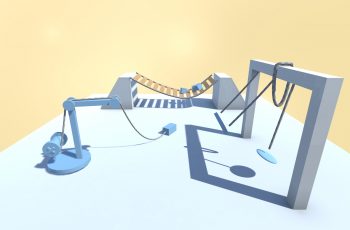
This is a paid asset, but now you can download Physics Draw 2D for FREE, Please keep in mind this package is provided only for learning purposes or to be able to test before buying the product, NOT FOR COMMERCIAL PURPOSES.
For more details about this asset: Click Here
Physics Draw 2D v5.1.1
“Sharing is caring”
Add Physics Draw 2D to your project and enjoy creating games with 2D drawing mechanics, where the drawn lines have Rigidbody2D and a PolygonCollider2D.
The Physics Draw 2D is a simple system to boost your project with a 2D drawing mechanic, where each drawing works with the physics engine by having Rigidbody 2D and a Polygon Collider 2D.
The system is an upgrade from “2D Physics Draw with Collider”. It can be added to any 2D game project and be configured to fit the game with simple configurations of the drawing template and the general settings.
Features:
Drawing lifetime
Fixed of dynamic drawings
Collision detection while drawing
Total and single drawing maximum length
Collider optimization
LineRenderer options, width curve, color gradient, materials
Drawin minimum points distance
Freeze objects while drawing
Pointer collider
Source code
Each line drawn by the player contains a PD2_Drawing component, along with a line renderer, polygon collider, rigidbody 2d and a PD2_FreezableElement.
The components variables can be adjusted previously by adjusting them on the Drawing Template. The drawn lines can also have some of the variables adjusted, however, adjusting the line renderer width or points requires that the PD2_Drawing.UpdateMesh() method is called so the collider is updated.
You can adjust all the line renderer settings to better fit your project requirements, for example, the line Width curve, Color gradient, End Cap Vertices and Materials.
Mind that adjustments on the width or points require that the PD2_Drawing.UpdateMesh() method is called so the collider is updated.
The Polygon Collider 2D and Rigidbody 2D are already setup to make the project work as expected, however, you can still change some settings without affecting the core system:
The drawing manager is responsible for the general system settings, events and managing the drawn lines.