Dev Asset Collection

All Things That You Need to Build A Video Game
Menu
  • 2D
    • Characters
    • Environments
    • Fonts
    • GUI
    • Textures & Materials
  • 3D
    • Animations
    • Characters
    • Environments
    • GUI
    • Props
    • Vegetation
    • Vehicles
  • Add-Ons
    • Machine Learning
    • Services
  • Audio
    • Ambient
    • Music
    • Sound FX
  • Essentials
    • Tutorial Projects
  • Templates
    • Packs
    • Systems
    • Tutorials
  • Tools
    • AI
    • Animation
    • Audio
    • Camera
    • Game Toolkits
    • GUI
    • Input Management
    • Integration
    • Level Design
    • Localization
    • Modeling
    • Network
    • Painting
    • Particles & Effects
    • Physics
    • Sprite Management
    • Terrain
    • Utilities
    • Version Control
    • Video
    • Visual Scripting
  • VFX
    • Particles
    • Shaders
Home
Tools
Modeling
Mesh God 4000 – Mesh Extractor, Pivot & Shading Tools – Free Download

Mesh God 4000 – Mesh Extractor, Pivot & Shading Tools – Free Download

Tsunami 17 May, 2026
Sending
User Rating 0 (0 votes)

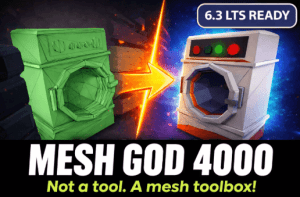
Mesh God 4000 is a powerful Unity mesh toolbox and mesh extractor that lets you extract meshes, split submeshes, change pivot points, clean up unused materials, and adjust mesh shading in the editor.

For more details about this asset from the Unity Asset Store, please visit: Click Here

This is a paid asset, but now you can download the “Mesh God 4000 – Mesh Extractor, Pivot & Shading Tools” for FREE. Please note that this package is provided solely for learning purposes or to test the product before purchase, and not for commercial use.

Mesh God 4000 – Mesh Extractor, Pivot & Shading Tools v2.0.0 Mesh God 4000 (12 Apr 2026) (Latest version)

VIP Only

“If possible, please buy the package to support the developer”

Description
◼ Behold! CatBorg Studio™ Presents ◼

Mesh editing made easy- powerful in-editor geometry tools for Unity.

◼ Key Features ◼

Standalone: No external packages or dependencies required.
Editor-Integrated: Works directly inside the Unity Editor- no need to export to Blender or other tools.
Customizable: Assign your own shortcuts for rapid workflow.
🟢 MeshFilter: Fully supported

🟡 SkinnedMeshRenderer: Supported (Experimental, introduced in v1.7.0)

◼ Toolset Overview ◼

Pivot Tools:
Pivot Set
Pivot To Selection
Pivot Center of Mass
Pivot Bottom
Mesh Tools:
Mesh Merge
Mesh Move
Mesh Rotate
Mesh Scale
Mesh Delete
Separate Tools
Separate By Loose Parts
Separate Selected
Split Selected
Repair Tools
Bake Scale
Orientation Set
Bind To Rig
Transfer Weights
Remove Unused Materials
Flip Normals
Flat Shading
Smooth Shading
Other Tools
Save As FBX
Save As Mesh
Make Static (Current Pose)
Mase Static (Rest Pose)
Select Tools
Select Linked
DeSelect Linked
Select More
Select Less
Invert Selection
Select All
Rectangle Selection
Lasso Selection
Circle Selection


Get paid unity asset for free
Prev Article

Related Articles

Easy Roads Mesh Gen – Dev Community
Tsunami 16 July, 2020

Easy Roads Mesh Gen – Dev Community

Advanced Cable Creator – Dev Community
Tsunami 25 May, 2025

Advanced Cable Creator – Dev Community

Room Architect – Dev Community
Tsunami 16 July, 2020

Room Architect – Dev Community

Auto Hand – VR Interaction – Dev Community
Tsunami 19 February, 2025

Auto Hand – VR Interaction – Dev Community

Leave a Reply Cancel Reply

Recent Posts

  • Tower Defense Game (URP) – Free Download
  • Mesh God 4000 – Mesh Extractor, Pivot & Shading Tools – Free Download
  • Picture Coloring – Color By Numbers Game – Free Download
  • Pure Nature 2 : Swamp – Free Download
  • 2D Top Down RPG Sandbox Project – Free Download

Dev Asset Collection

All Things That You Need to Build A Video Game
Copyright © 2026 Dev Asset Collection
Privacy Policy | Disclaimer | DMCA