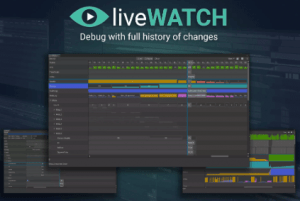
LiveWatch is a powerful debugging tool for real-time monitoring of any variable type, with a full history of changes.
For more details about this asset: Click Here
This is a paid asset, but now you can download the “LiveWatch Console” for FREE. Please note that this package is provided solely for learning purposes or to test the product before purchase, and not for commercial use.
LiveWatch Console v1.1.0 (25 Aug 2025) (Latest version)
“Sharing is caring”
Description
Tired of spamming Console with endless values to find bugs? Want to monitor not just the current game state but the entire history of changes? Introducing LiveWatch — the unique debugging tool that lets you track any variable of any type with every change recorded. Experience the full history of your values, utilize advanced search queries, apply conditional formats, and much more!
???? USEFUL LINKS ????
Pro | Lite | Quick start | Manual | Reference API | Support | Forum | Discord
???? KEY FEATURES ????
Full Change History ????
Capture every change in your variables over time, making it easy to monitor the state of your game or identify sophisticated bugs. Minimal setup required.
Any type supported ????️
Watch any possible type — basic types (int, string, bool, float, double, etc.), collections (Dictionary, List, Array, HashSet, etc.), or any other classes from Unity or your own. No Reflection is used at runtime for complex types to achieve maximum performance.
Powerful search ????
Utilize complex queries to search through all recorded values based on their types and variable names. Queries are unlimited and connected via boolean operators, providing infinite possibilities.
Advanced customization ????
Change the color format for any variable name or value to highlight important data, including conditional formats based on the values themselves.
Adjustable view ????
Modify height and width in Cell mode using simple shortcuts based on your needs, or switch to Graph mode to visualize the maximum amount of data changes over time.
Metadata ????
Add custom text to every pushed value, giving more context about what caused the change. Inspect automatically added stack traces if an exception occurs during the update of your variable. Expose references to Scene objects, making it easier to locate them directly from the debug window.
Flexible API ????
Add new watches with a single call, and they will be tracked automatically. Or you can push values directly from anywhere in your project as often as needed. All features are accessible through a versatile, well-documented API.
Save/Load functonlaity ????
Store your variable data as binary files and inspect the recorded values on different devices or projects, providing you with enhanced debugging capabilities.
⏳ CURRENT LIMITATIONS ⏳
LiveWatch is a powerful tool, though not without its limits.
LiveWatch uses code generation, making it significantly faster than System.Reflection-based solutions. It can handle many variables efficiently, but tracking complex variables may still impact performance, so use it carefully.
Due to code generation, LiveWatch cannot monitor non-public members in custom-generated types. To track them, you’ll need to watch these variables directly or expose them via public properties.
Currently, LiveWatch is available only in the Unity Editor. For build use, you can save variable data to a binary file and inspect it in the Editor. Remote debugging capabilities are coming soon.
???? TRY IT FREE ????
Try the free Lite version of LiveWatch and explore its core features before upgrading to the full tool.