This is a paid asset, but now you can download Kinect MoCap Animator for FREE, Please keep in mind this package is provided only for learning purposes or to be able to test before buying the product, NOT FOR COMMERCIAL PURPOSES.
For more details about this asset: Click Here
Kinect MoCap Animator v2.0
“Sharing is caring”
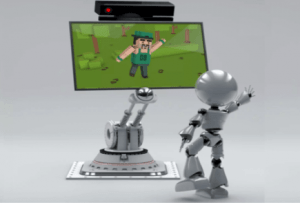
This is a simple motion capturing tool that captures user motion from a body recording and saves it into a fbx animation clip. The recorded animation may be retargeted later to other humanoid models in your Unity projects, or edited with external tools like Autodesk’s ‘Maya’ or ‘3ds Max’.
Please note, the MoCap animator works with body recordings only. These body recordings can be created with the help of “Azure Kinect Examples for Unity” or “Kinect-v2 with MS-SDK”-assets.
Web | Forum | Twitter | Docs
‘Kinect MoCap Animator’ is a sensor independent tool. It doesn’t work with live sensor data, but instead with body recordings only. These recordings can be created with the help of other Unity assets, like “Azure Kinect Examples for Unity” or “Kinect-v2 with MS-SDK” v2.20 or later. This package can be used on Windows platform with all versions of the Unity Editor – Free, Plus or Pro.
How to run the ‘Kinect MoCap Animator’:
1. Create a body recording with the recorder demo scene in the K4A-asset or K2-asset.
2. Import this package into a new Unity project.
3. Open ‘File / Build settings’ and switch to ‘PC, Mac & Linux Standalone’, Target platform: ‘Windows’.
4. Copy the previously created body recording file to the root folder of the ‘Kinect MoCap Animator’ project.
5. Open and run the KinectMocapAnimator-scene.
6. Change the name of the body recording file, or the user index, if needed.
7. Press ‘Start MoCap’ to start capturing the body motion of the selected user from the beginning.
8. After the MoCap Animator finishes, you can find the recorded animation in the ‘Recorded’-model under ‘KinectMocapFbx/Models’-folder.
For more information, see the Readme-file in the package, or the Online documentation.
One request:
Please don’t share this package in source form with others, or as part of public repositories, without my explicit consent.
Documentation:
* The basic documentation is available in the Readme-pdf file in the package.
* The online documentation is available here.
Third-Party Software:
This asset uses SharpZipLib under MIT License and Autodesk FBX SDK under Autodesk License Agreement. See Third-Party Notices.txt file in the package for details.