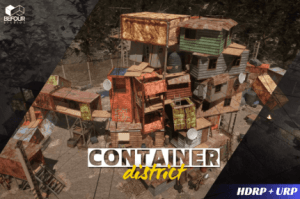
Build container-based environments with 332 unique meshes, modular container, and building parts. Featuring detailed interiors, it’s perfect for industrial and urban settings with great flexibility.
For more details about this asset: Click Here
This package is provided solely for evaluation, learning, or testing purposes before purchase and is not permitted for commercial use.
Container District Environment (Slum City) v1.0
“If possible, please buy the package to support the developer”
Description
Create detailed slum-inspired urban environments with this highly customizable pack. Featuring 332 unique modular meshes, including containers with interiors, props, cables, and fences. Includes LODs for performance optimization.
Design immersive container-based environments with:
🏗️ 332 modular meshes (containers, props, fences, cables) with fully detailed interiors.
🌅 Demo & Overview Maps featuring Overcast and Sunrise lighting setups.
🎨 Hand-drawn decals (graffiti, trash, and grass) for added detail and optimization.
🛠️ Channel-packed Metallic/Roughness/AO textures for an efficient workflow.
✨ Particle effects to enhance realism.
📉 LODs for optimized performance.
Perfect for creating industrial zones, slum-like urban areas, or modern container-based settings in games, simulations, and visualizations.
Technical details
Number of Unique Meshes: 332
Collision: Yes
Average Poly Count: around 2K up to 30K
LODs: Yes up to 4
Number of Textures: 219
Particles : 1 Fire Particle
Texture Resolutions: 2K to 4K
Texture Map Types: Base Color / Diffuse, Normal, Smoothness / Roughness, Metalic, Opacity, Emissive
Number of Materials: 4 Master Shader
Number of Materials: 135
Materials: Each material contains a Base Texture, and a Normal Texture by default and additionally has Smoothness, Ambient Occlusion, Metalic and Opacity Texture Maps according to the material
Props: Bike, Trash Bags, Chairs, Generators, Boxes, Bottles, Beds, Cans, and lot more. Architecture: Wooden Walls, Panel Walls, Door, Roof, and etc.
Supported Development Platforms:
Windows: Yes
Mac: Yes
Attention !!! : Pack supports both HDRP and URP !!! To open URP, drag the .unitypackage file (Settings>URP) into your URP project within the Art>Scenes folder.